For Press & Reviewers

Press Kit

Everything you need to write about Before You Apps in one place — fact sheet, app details, screenshots, brand assets, copy-paste-ready descriptions and direct contact.

Last updated: 2026 · Maintained by Florian Schimanke

Quick facts

DeveloperFlorian Schimanke
Based inHess. Oldendorf, Germany
Number of apps4 (plus a discounted bundle of all four)
Pricing$2.99 each, no subscription
Bundle$8.99 — four apps, save the price of one (25% off in US store)
PlatformsiPhone (all four), Apple Watch (Stroll), iPad (Scan, Your Day, Zone)
Minimum iOSiOS 17.0
Languages10 — EN, DE, ES, FR, IT, JA, KO, PT-BR, PT-PT, ZH-Hans
Privacy100% on-device · No accounts · No tracking · No ads
TechnologiesFamily Controls / Screen Time API, HealthKit (Stroll), EventKit (Your Day), AVFoundation (Scan)

About the developer

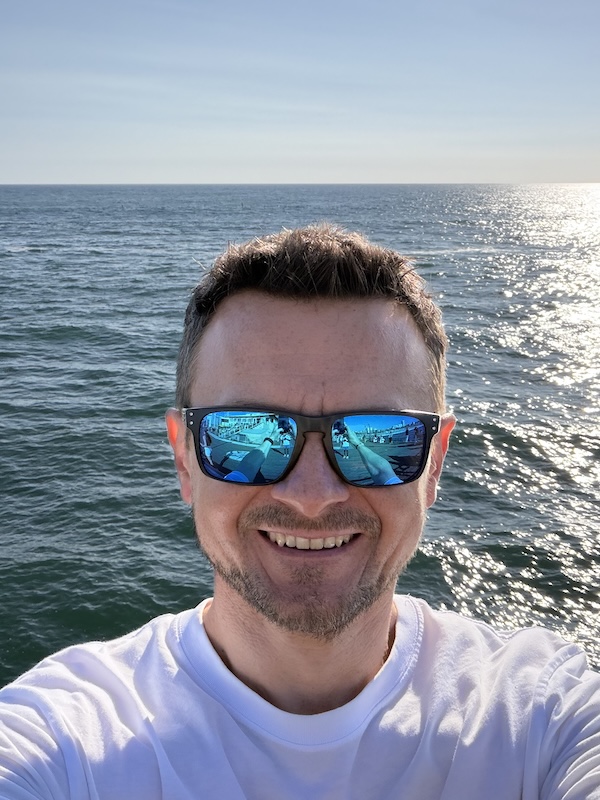
Florian Schimanke, indie iOS developer
developer-photo.jpg Recommended: 600×800 px portrait

Florian Schimanke

Indie iOS developer

Florian builds and ships iOS apps — solo, from a small town in northern Germany. His apps focus on small, opinionated tools that solve specific real-world problems: digital wellbeing, hayfever forecasts, voice memos, hydration tracking. No subscriptions, no analytics, no investors.

Before You Apps is his current focus — a deliberately small family of three iOS apps that share one philosophy: screen time should be earned through real-world action, not endured behind willpower-based timers.

Reachable directly at florian@beforeyouapps.com for interviews, additional codes, or follow-up questions.

The story

The idea for these three apps came from my own usage patterns. The first thing I reached for in the morning was my phone. The last thing I did at night was scroll through social media feeds. And in between, I kept catching myself: I'd just want to quickly check something on my phone, and half an hour later I'd still be scrolling. A glance at Apple's Screen Time function quickly confirmed what I suspected — I was spending way too much of the day on my phone instead of taking care of the things that actually mattered.

There were already a few apps in the App Store that wanted to tackle this problem — but most of them were overloaded with statistics and gamification, or far too easy to trick. So I decided to do it myself.

What came out of it are three apps for different situations. I still use all three. Some days the locked apps are unlocked by lunchtime. Other days they're not. Both feel honest. The Strict Mode in Stroll before you Scroll effectively keeps me from lying to myself by quickly unlocking an app I want without actually hitting the step count I set. And when I'm lying in bed at night, I think twice before getting up just to scan the QR code from Scan before you Can — only to scroll through Instagram one more time.

Willpower is overrated. Friction works.

Stroll before you Scroll icon
Walk to unlock

Stroll before you Scroll

Lock your apps until you've taken your daily steps.

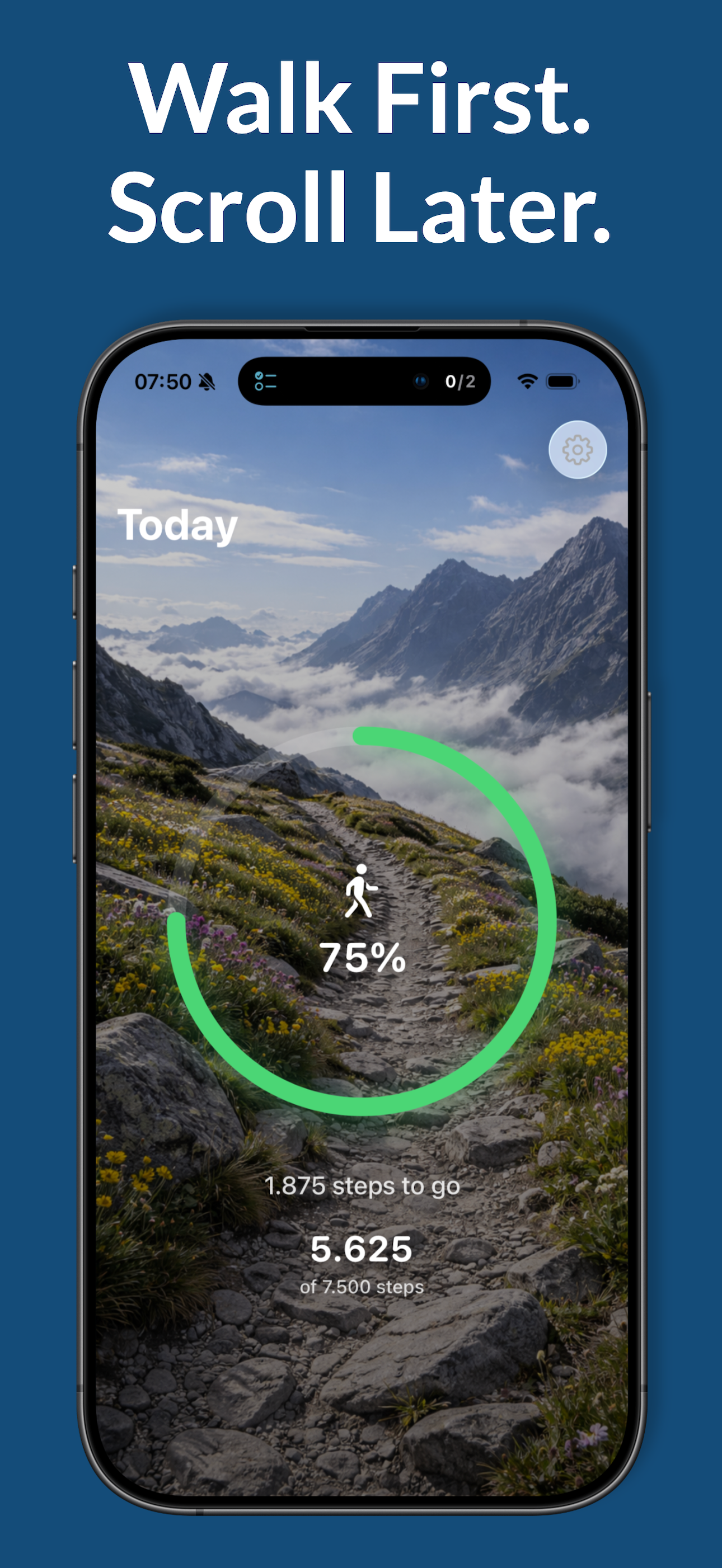
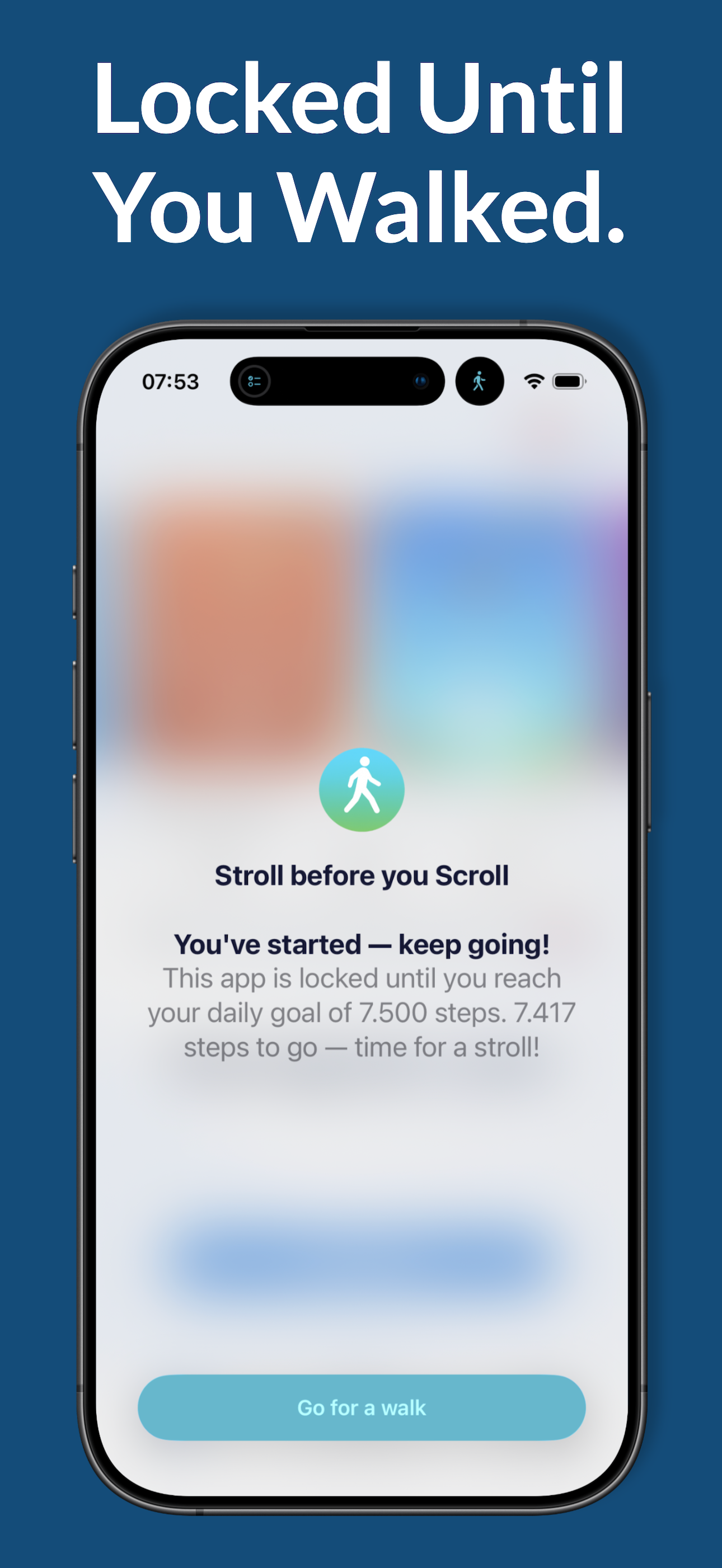
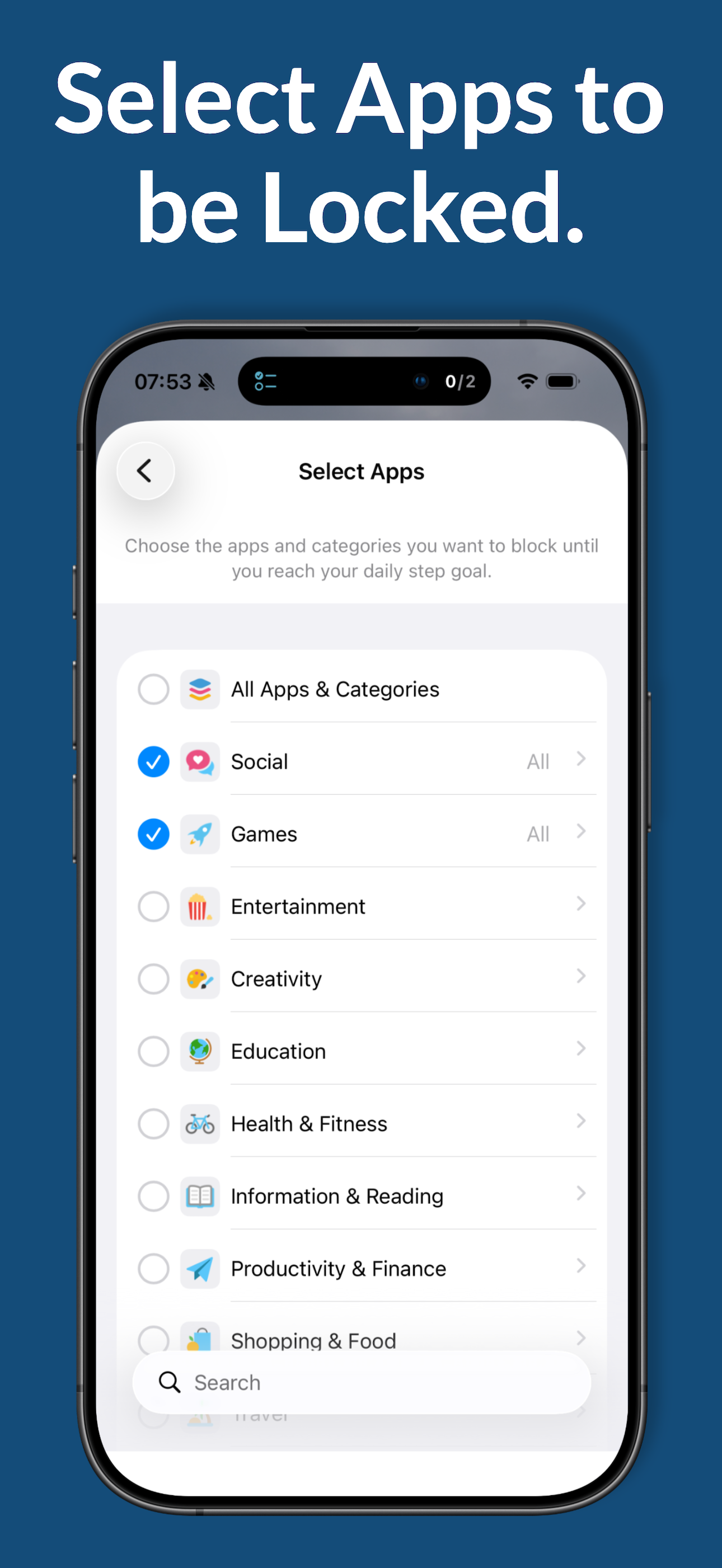
Stroll before you Scroll is a digital wellbeing app for iPhone and Apple Watch that locks your selected apps — Instagram, TikTok, Reddit, news, games — until you've reached your daily step goal. The blocking uses Apple's official Screen Time framework. Step counts come from Apple Health, so any tracker (Apple Watch, Garmin, Fitbit) registers. Includes a native Apple Watch app, widgets, Live Activity and Dynamic Island support. $2.99 one-time, no subscription.

Key features

  • Real Screen Time blocking via Apple's Family Controls API
  • Steps from Apple Health — works without the iPhone in your pocket
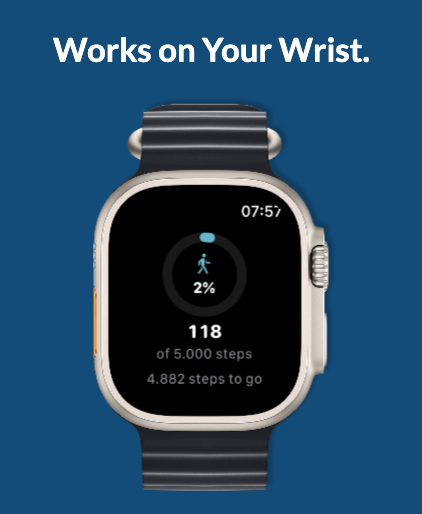
  • Native standalone Apple Watch app
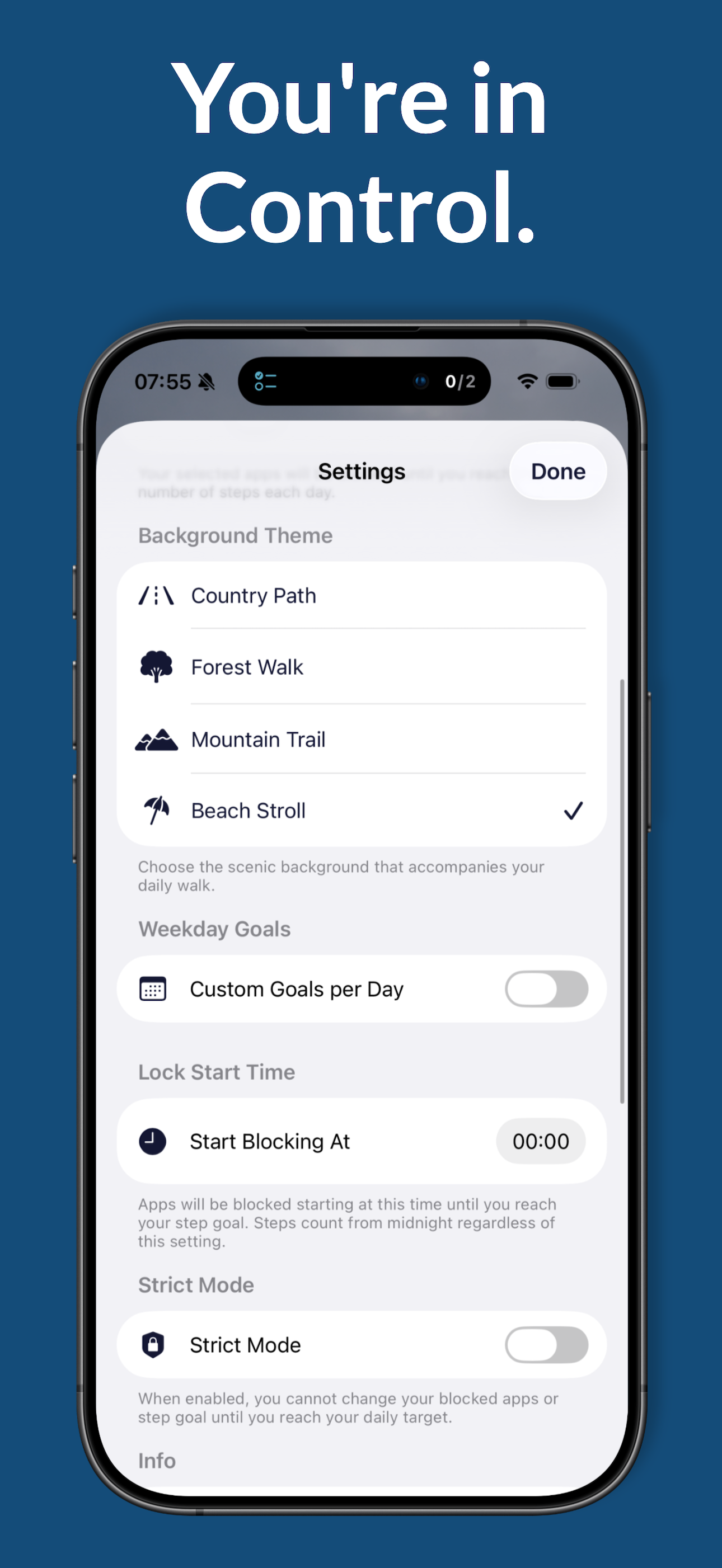
  • Per-weekday step goals
  • Home Screen, Lock Screen widgets · Live Activity · Dynamic Island
  • Strict Mode prevents tampering with the goal mid-day
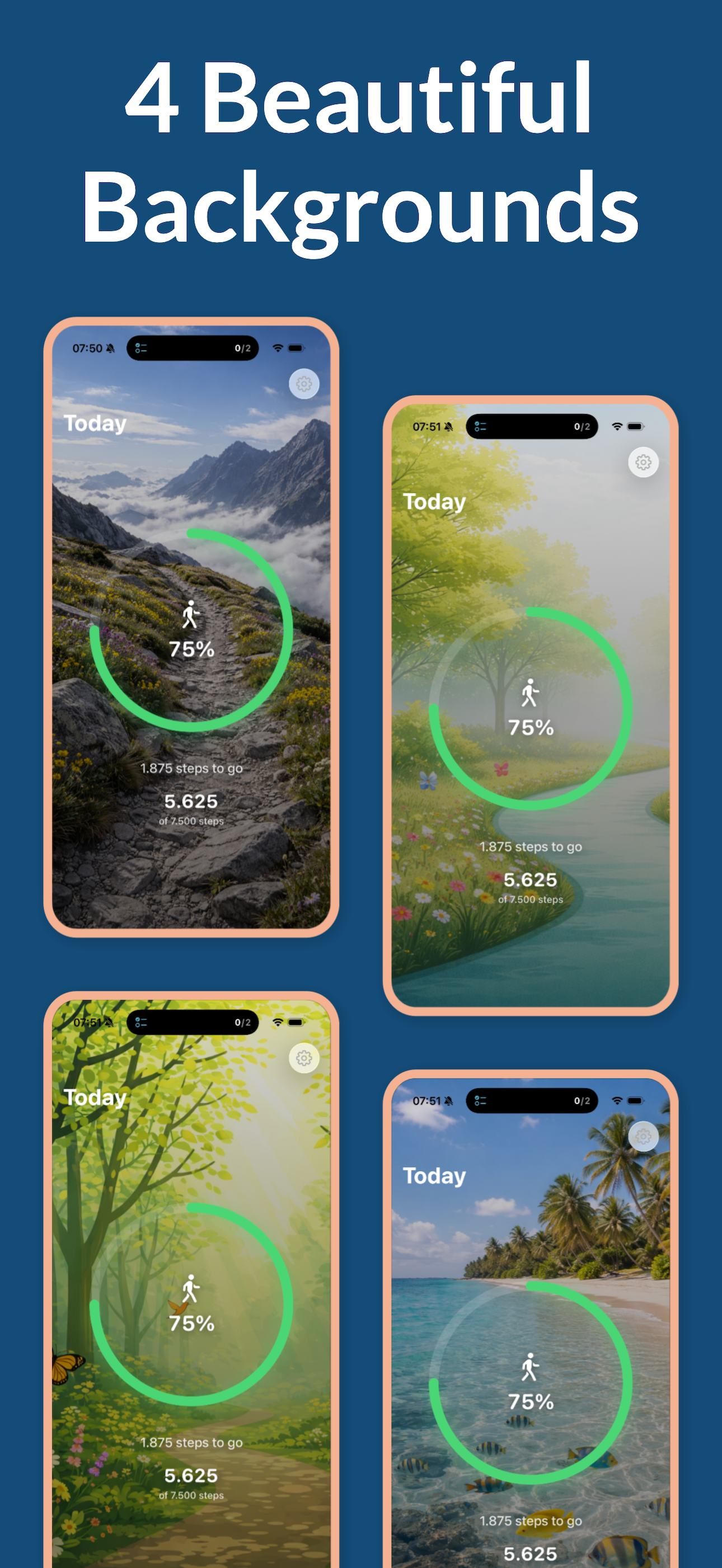
  • Scenic themes (meadow, beach, forest, mountain)
  • 10 languages, fully on-device, no analytics

Screenshots

Stroll before you Scroll screenshot
stroll-1.png 1290 × 2796
(iPhone 15/16 Pro Max)
Stroll before you Scroll screenshot
stroll-2.png 1290 × 2796
Stroll before you Scroll screenshot
stroll-3.png 1290 × 2796
Stroll before you Scroll screenshot
stroll-4.png 1290 × 2796
Stroll before you Scroll screenshot
stroll-5.png 1290 × 2796
Stroll before you Scroll on Apple Watch
stroll-watch.png Optional: Apple Watch screenshot
Scan before you Can icon
Scan to unlock

Scan before you Can

Lock your apps until you walk over and scan a printed QR code.

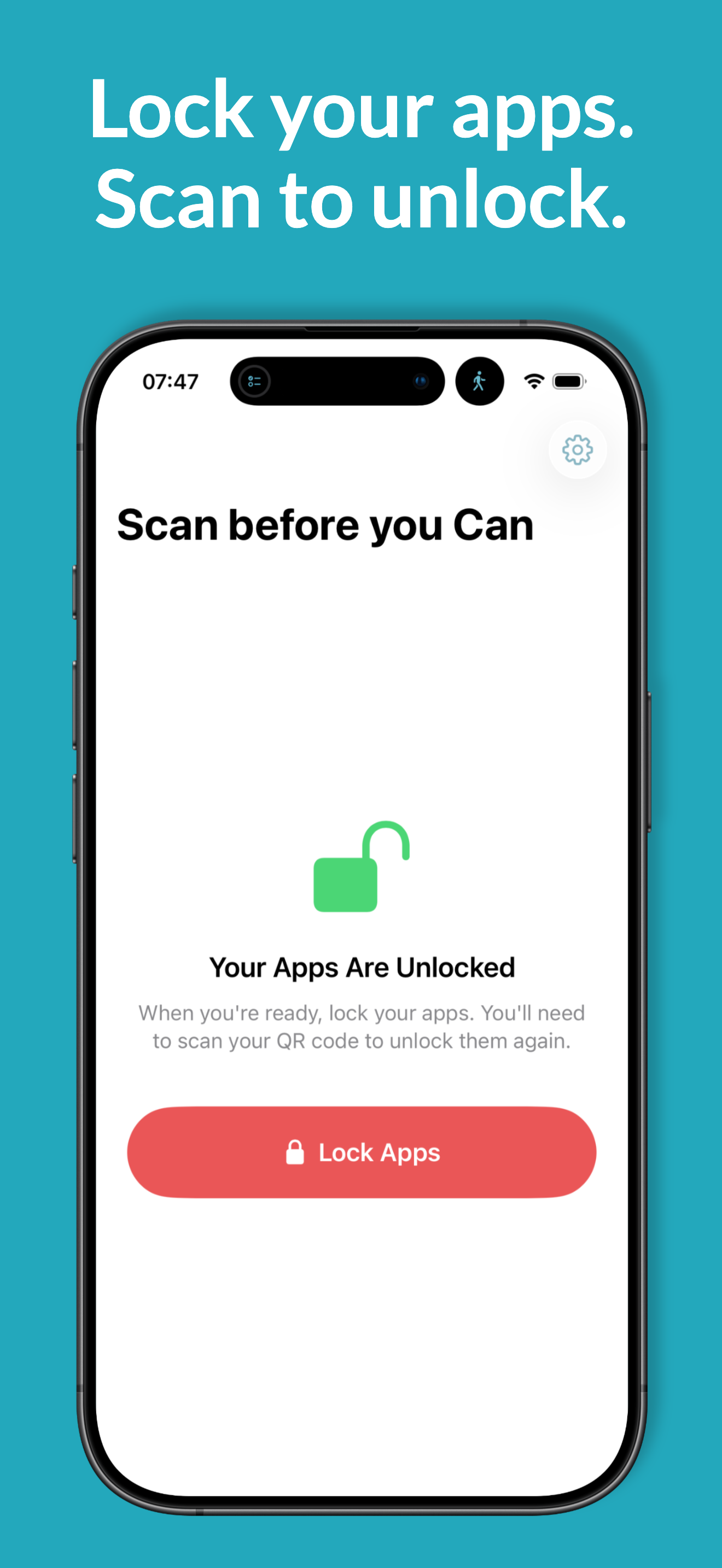
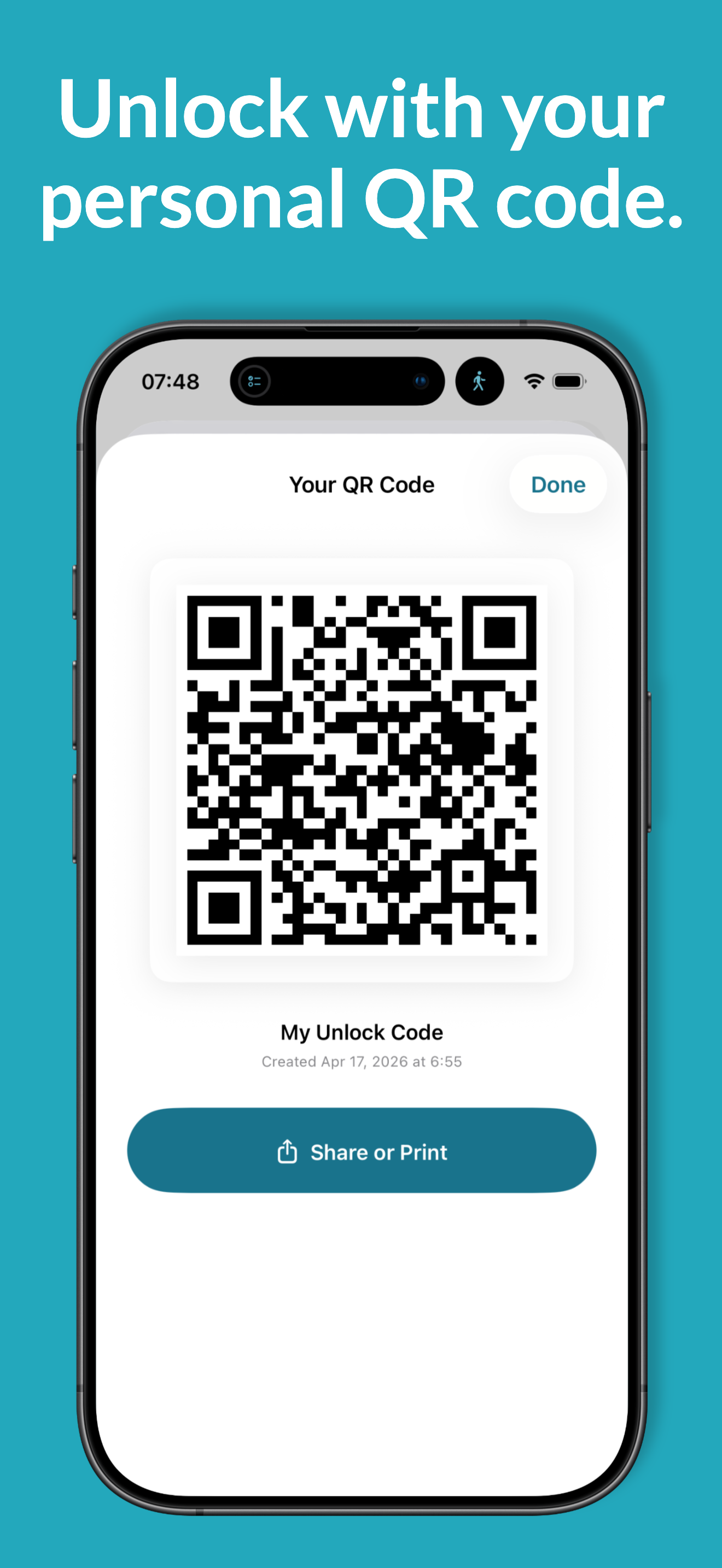
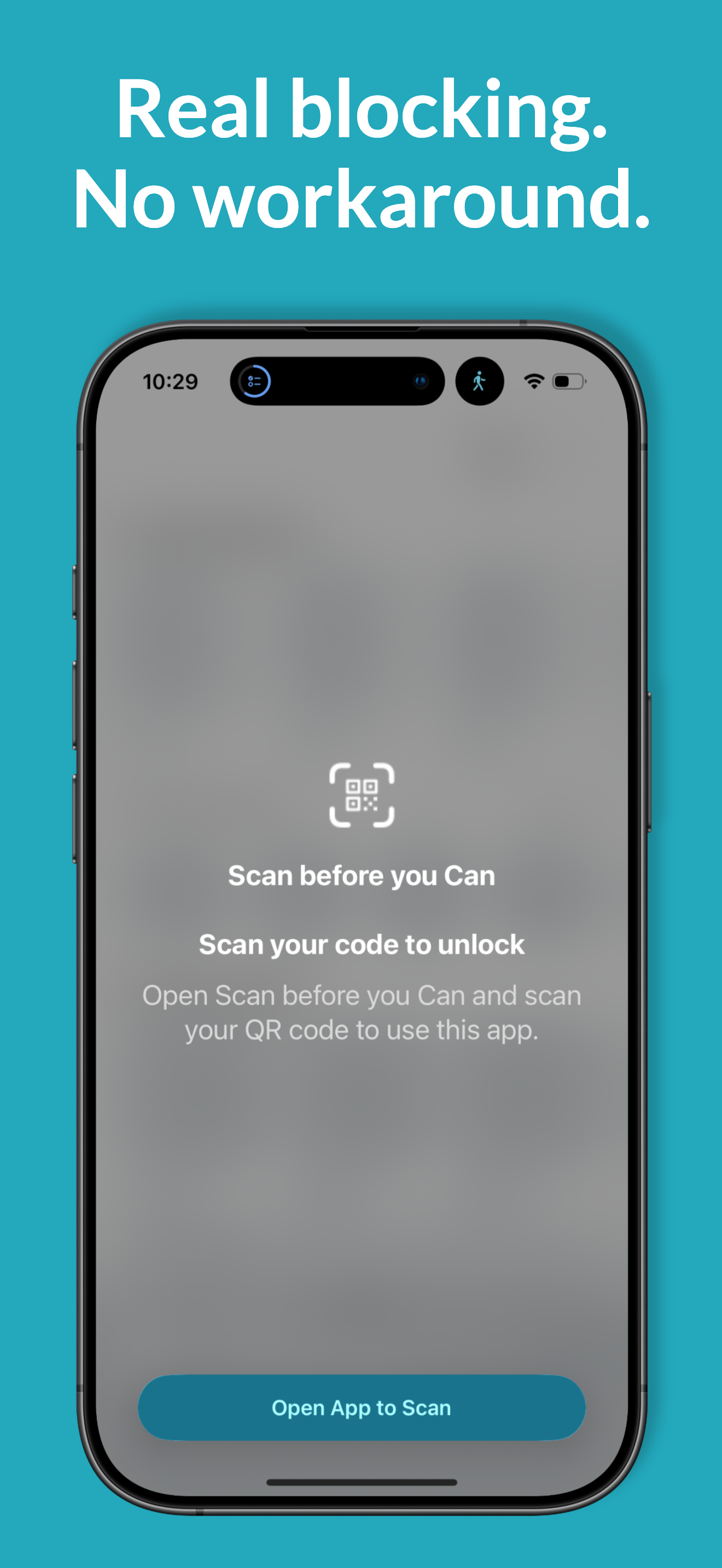
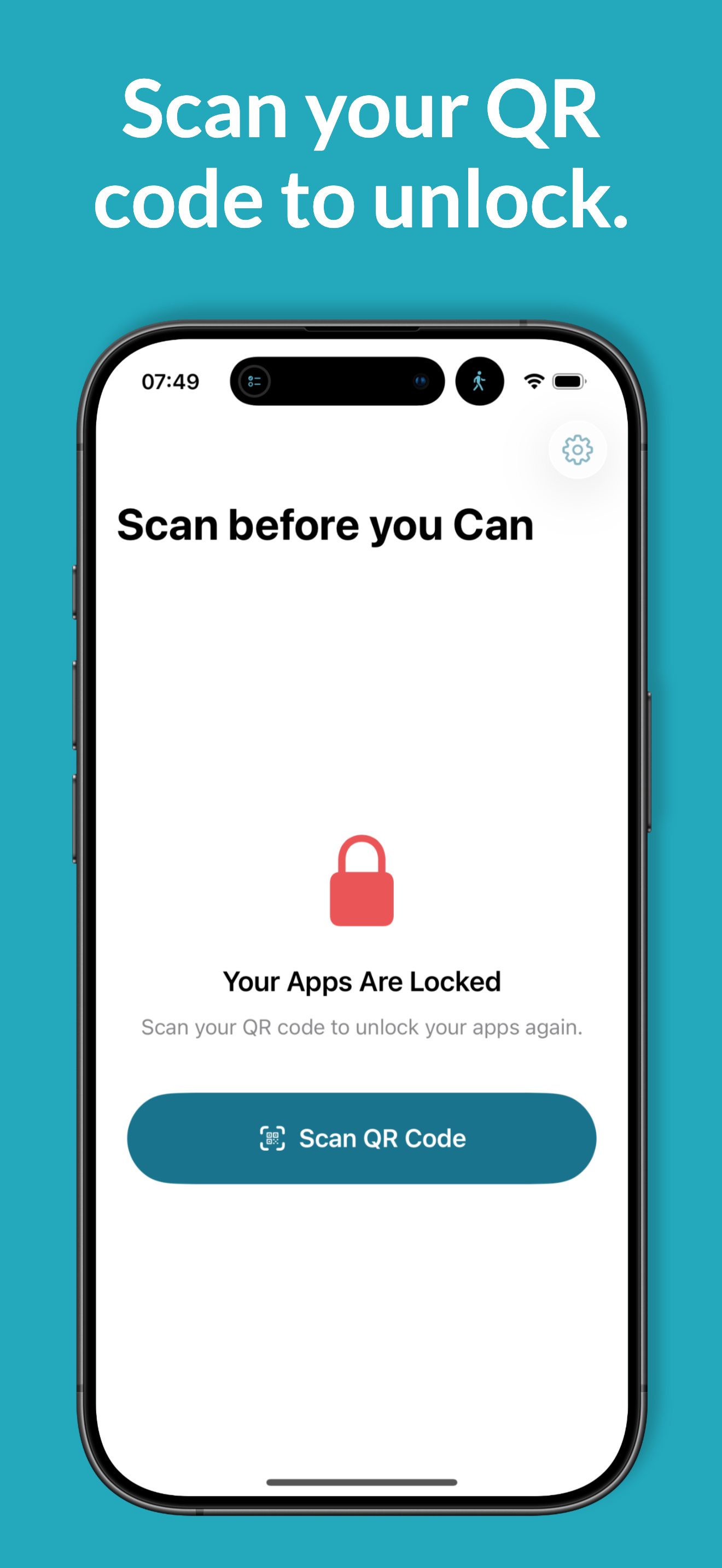
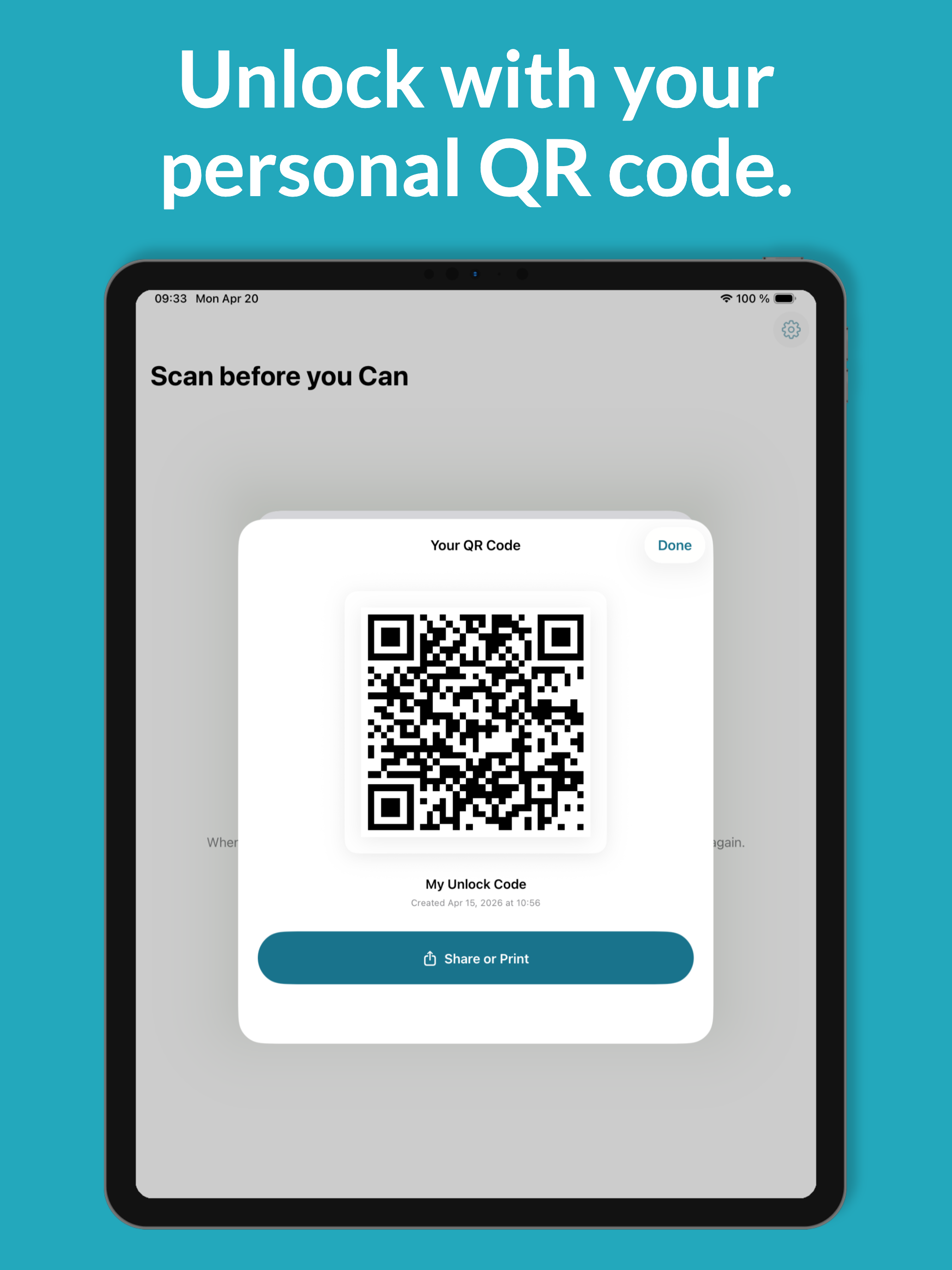
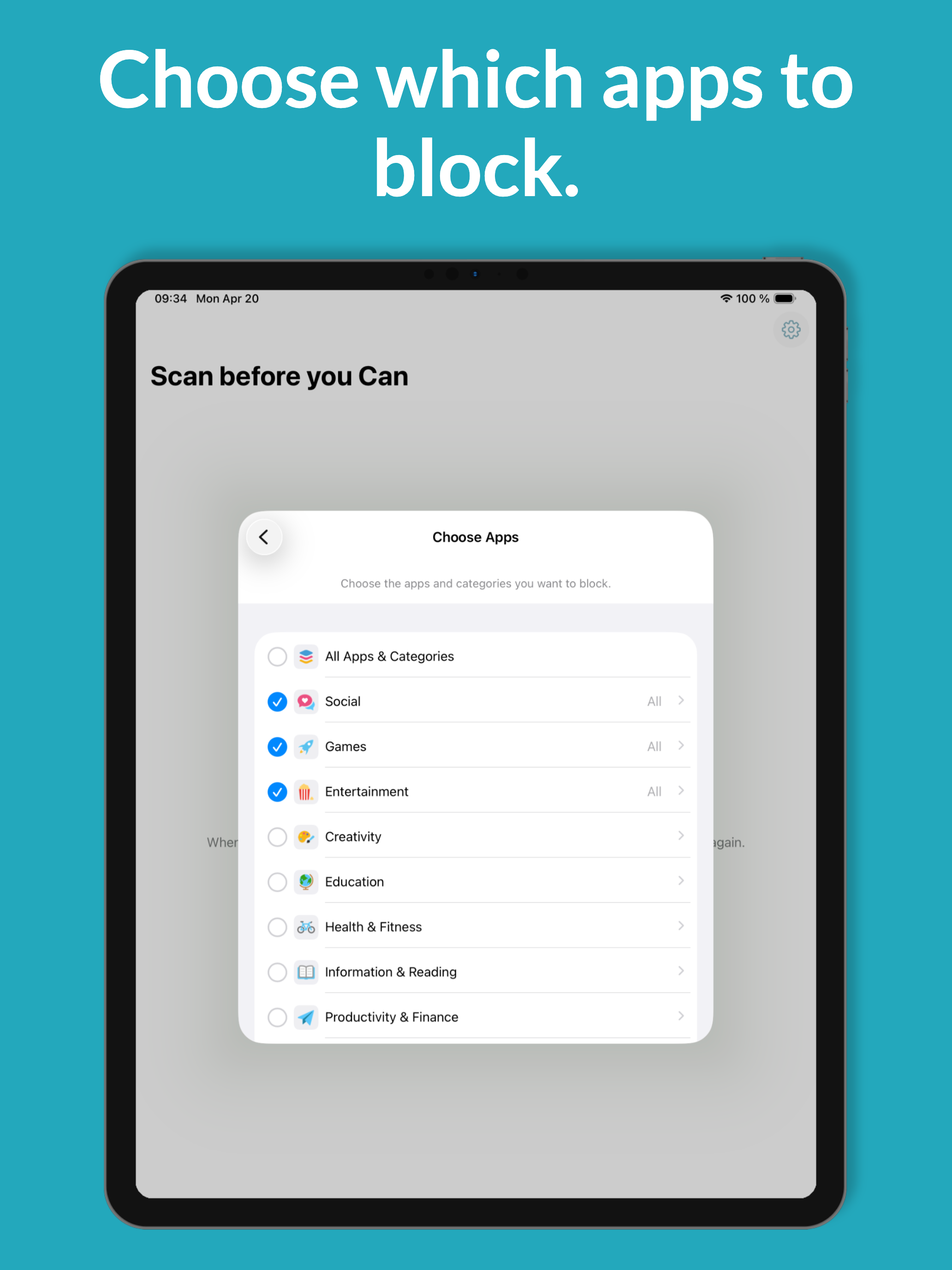
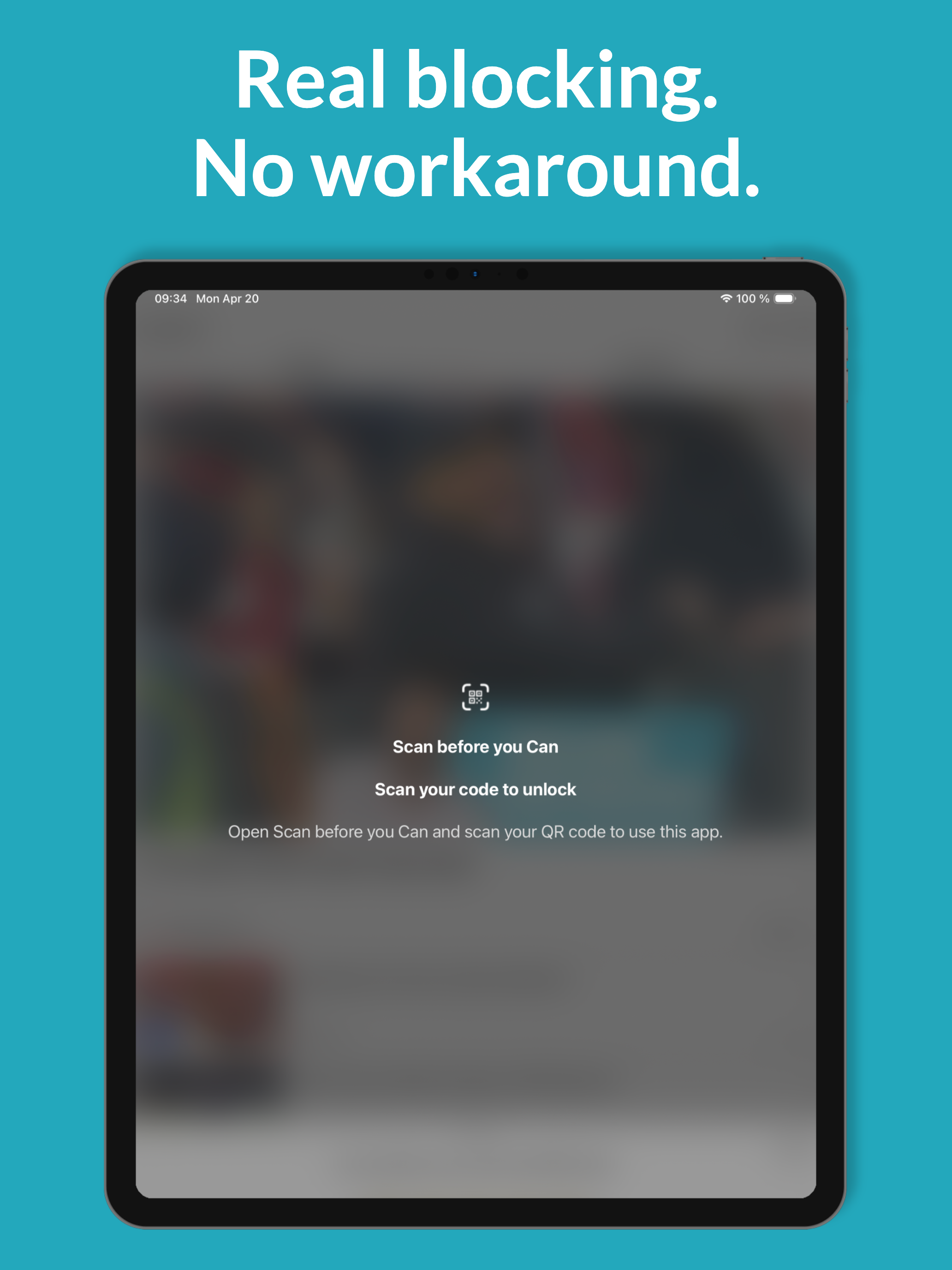
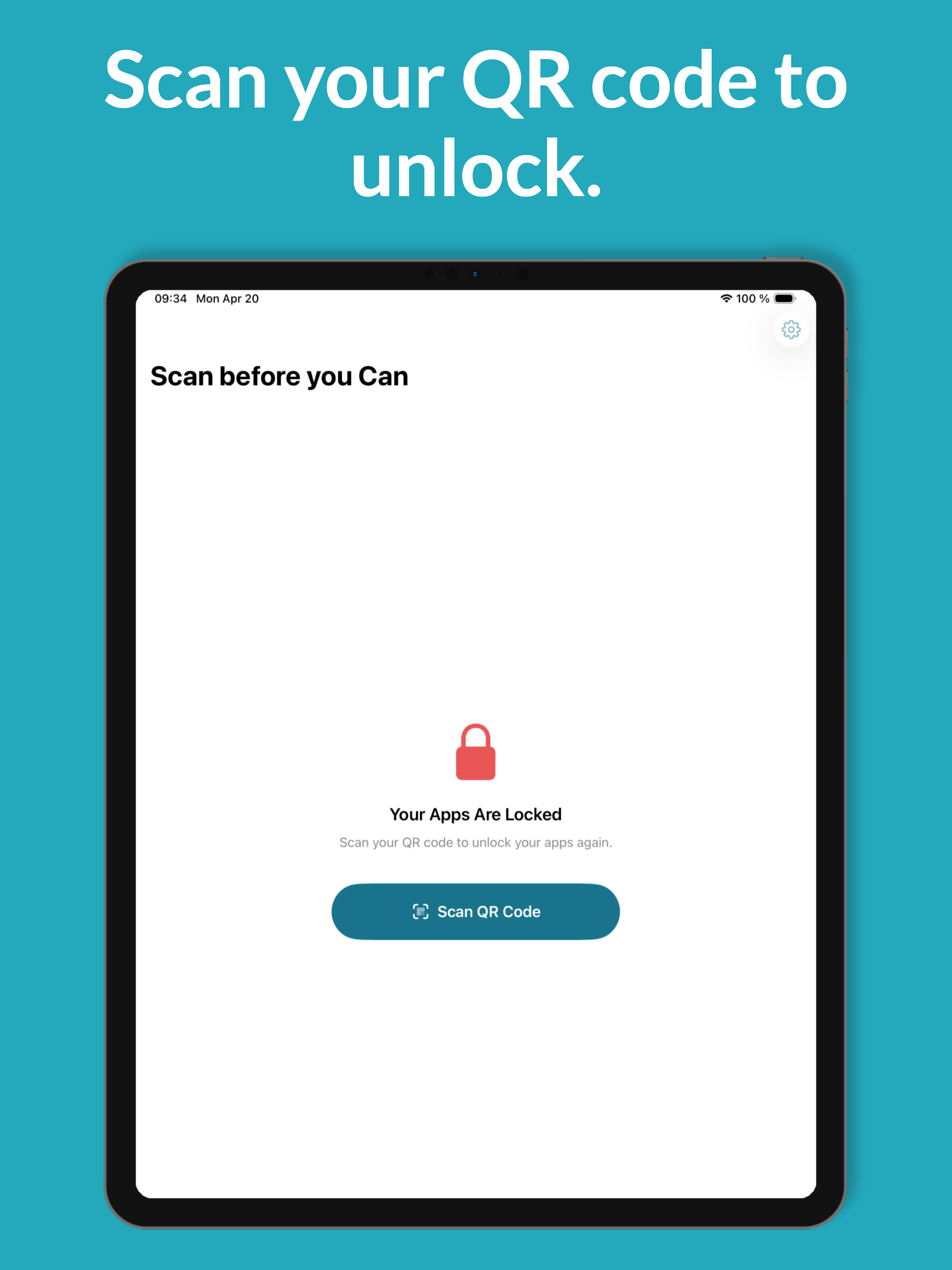
Scan before you Can creates a unique QR code on your device. Print it, place it somewhere away from where you usually sit (kitchen, hallway, office wall), then lock your apps. The only way to unlock is to physically walk over and scan it with your camera. There's no bypass, no backdoor, no emergency unlock. Built on Apple's Screen Time framework. $2.99 one-time. iPhone + iPad.

Key features

  • Personal QR code generated locally on your device
  • Camera-based unlock — fast, works in low light
  • Auto-lock schedule (e.g. nightly at 22:00)
  • Pre-lock reminder notification
  • No accounts, no servers, no internet required
  • Phone, Messages, FaceTime never blocked (iOS-level)
  • Haptic feedback on lock and successful scan
  • 10 languages, fully on-device

iPhone screenshots

Scan before you Can screenshot
scan-1.png 1290 × 2796
Scan before you Can screenshot
scan-2.png 1290 × 2796
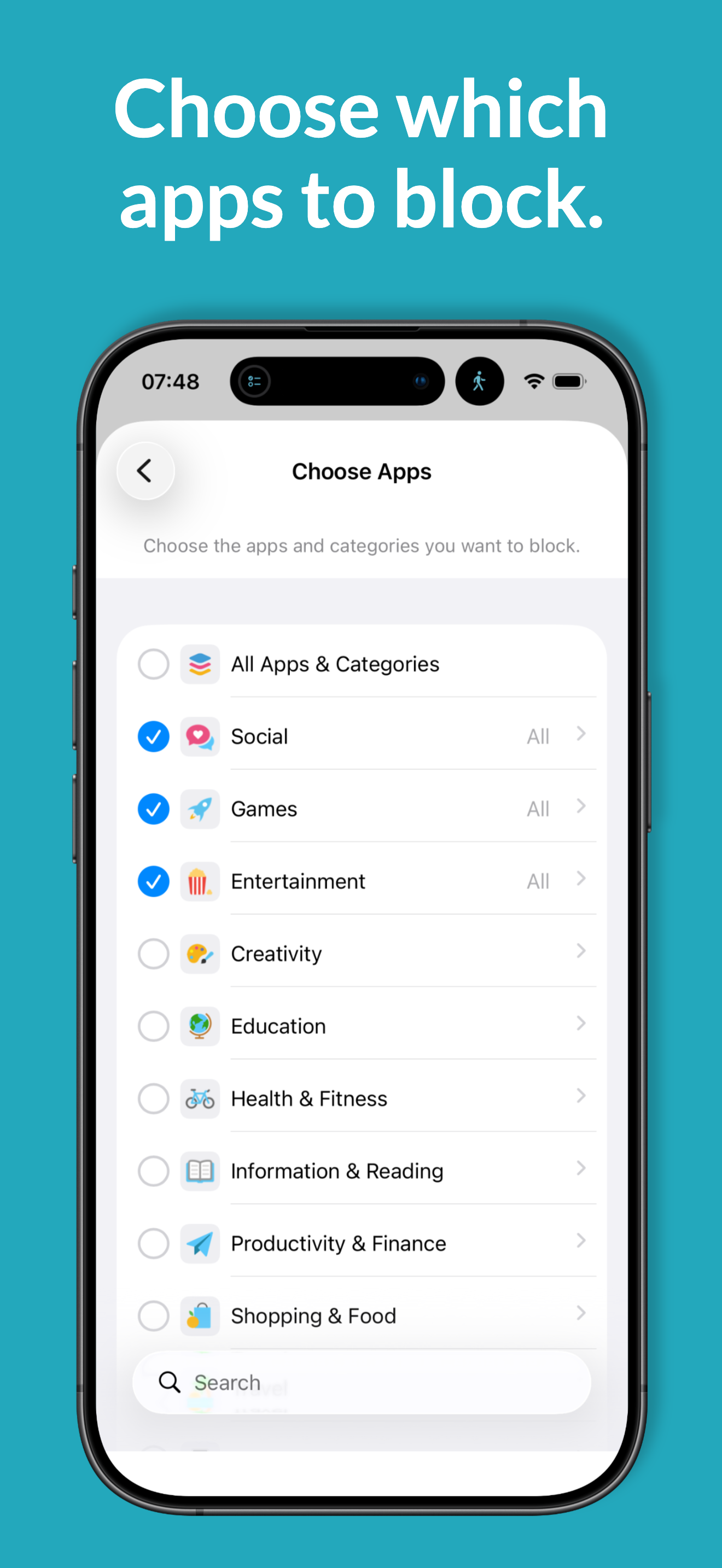
Scan before you Can screenshot
scan-3.png 1290 × 2796
Scan before you Can screenshot
scan-4.png 1290 × 2796
Scan before you Can screenshot
scan-5.png 1290 × 2796

iPad screenshots

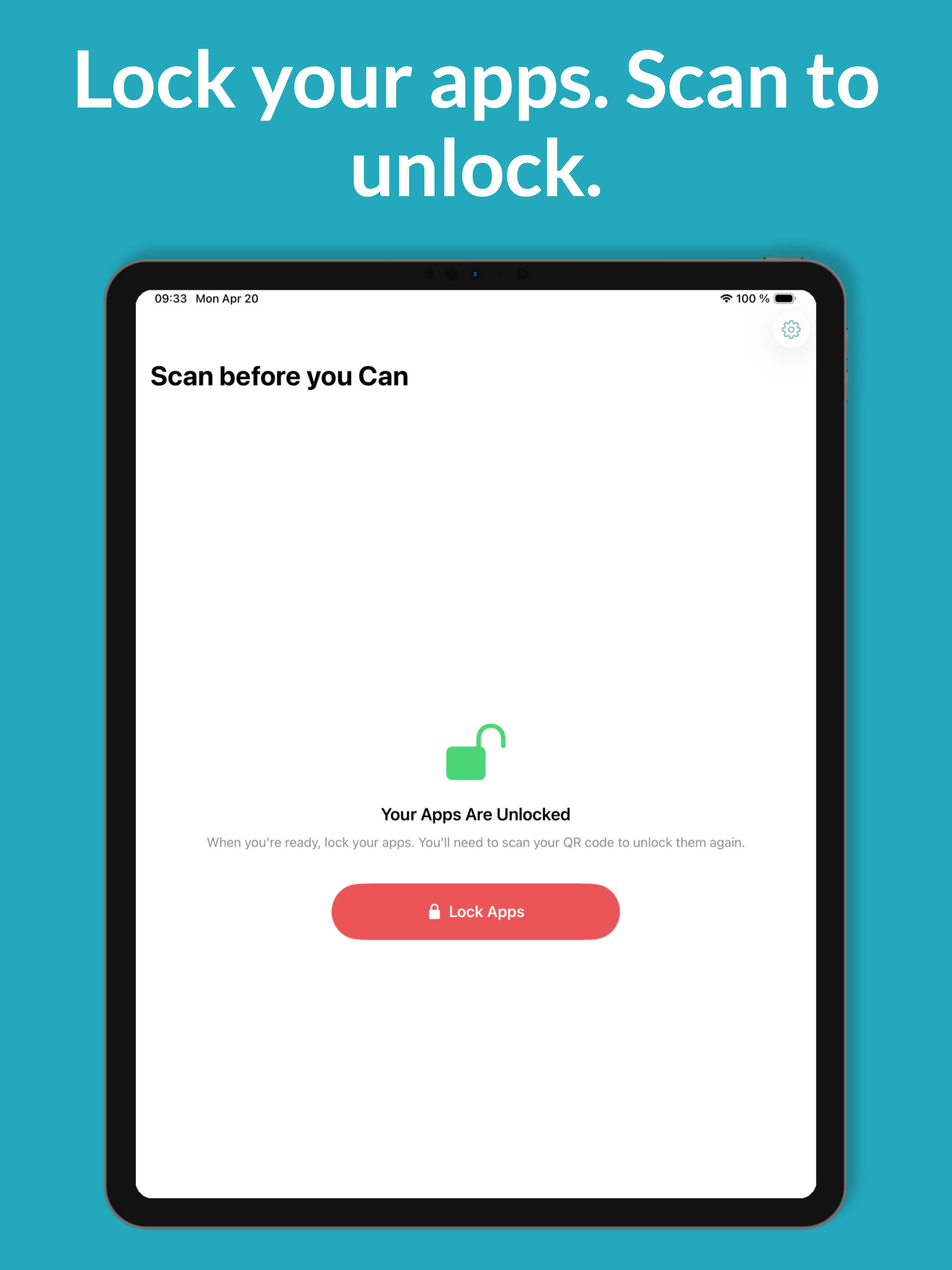
Scan before you Can on iPad
scan-ipad-1.png 2048 × 2732
Scan before you Can on iPad
scan-ipad-2.png 2048 × 2732
Scan before you Can on iPad
scan-ipad-3.png 2048 × 2732
Scan before you Can on iPad
scan-ipad-4.png 2048 × 2732
Scan before you Can on iPad
scan-ipad-5.png 2048 × 2732
Your Day before you Play icon
Finish tasks to unlock

Your Day before you Play

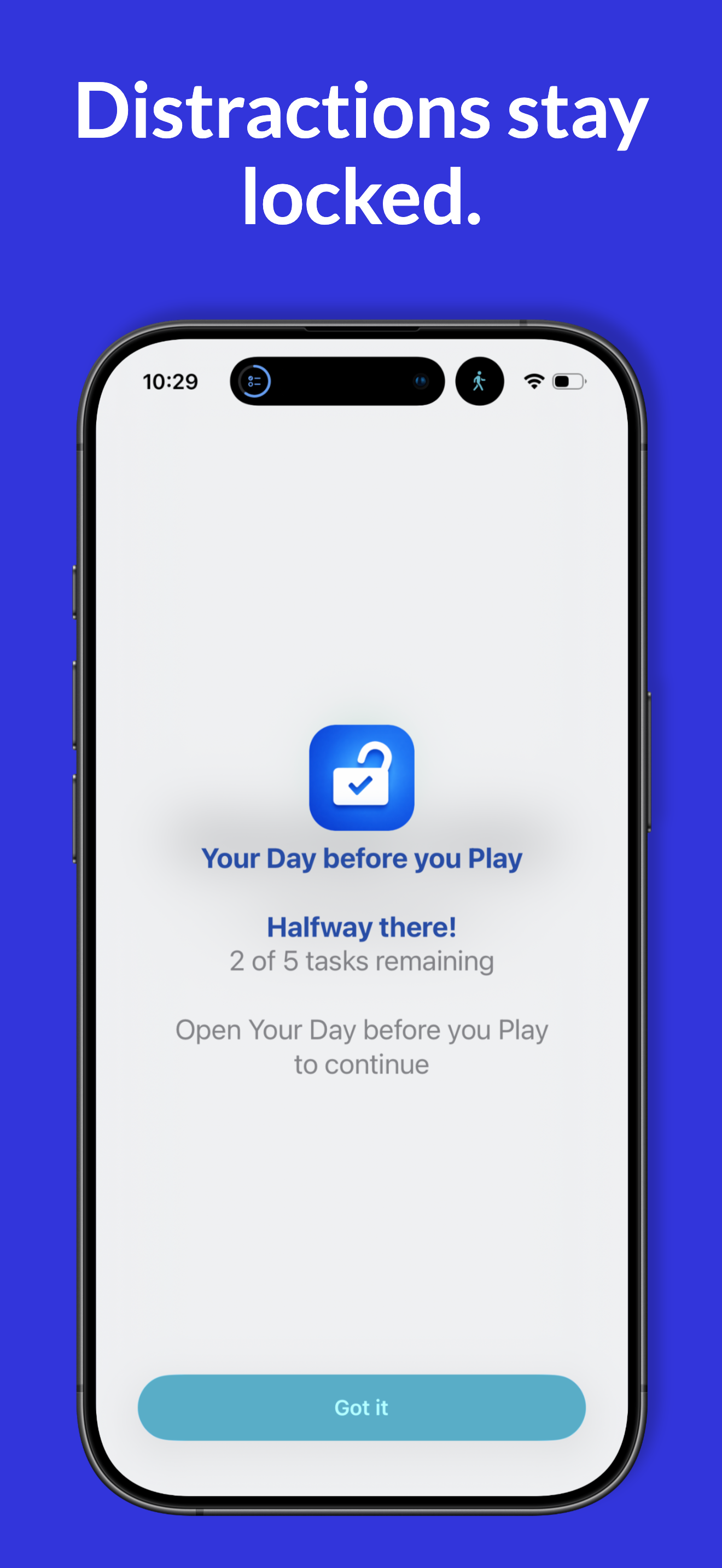
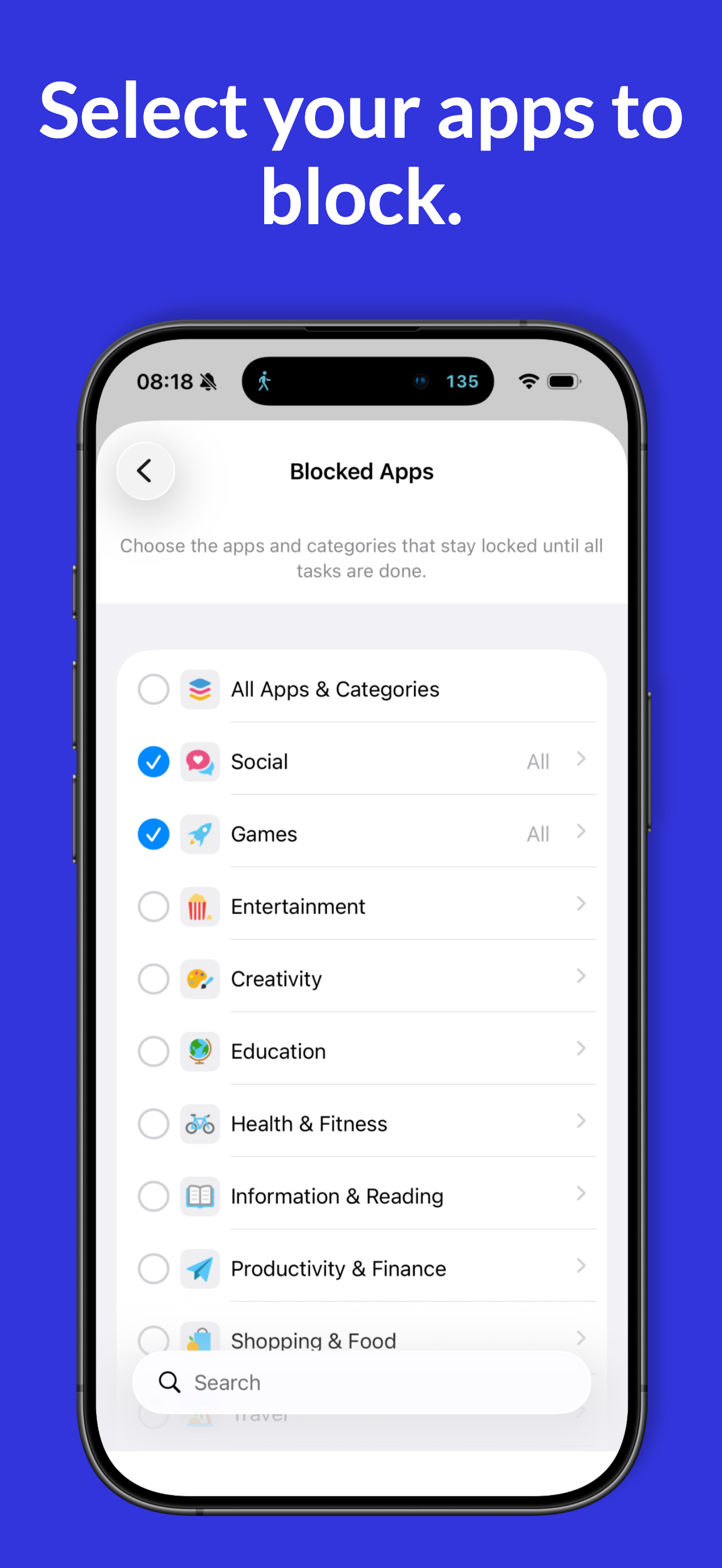
Lock your apps until your daily tasks are done.

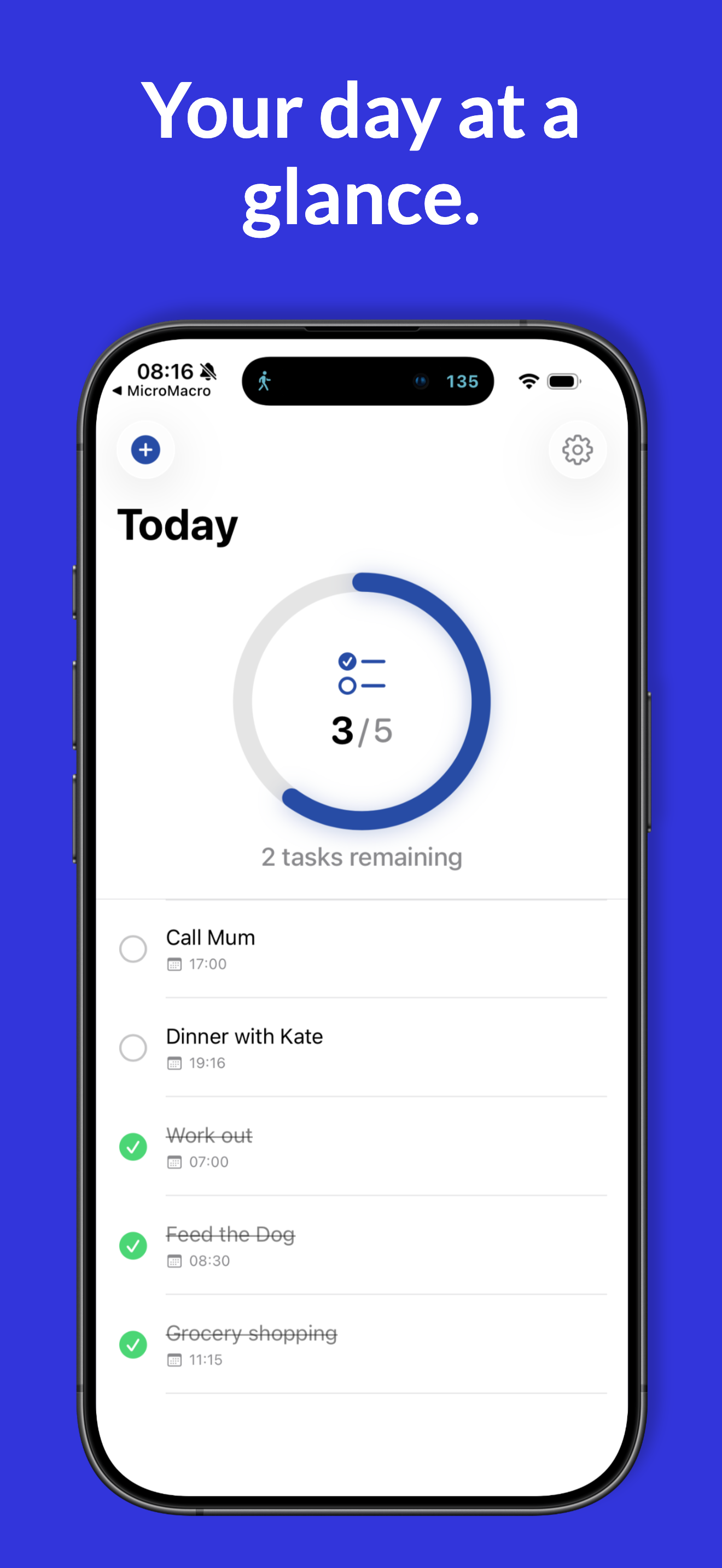
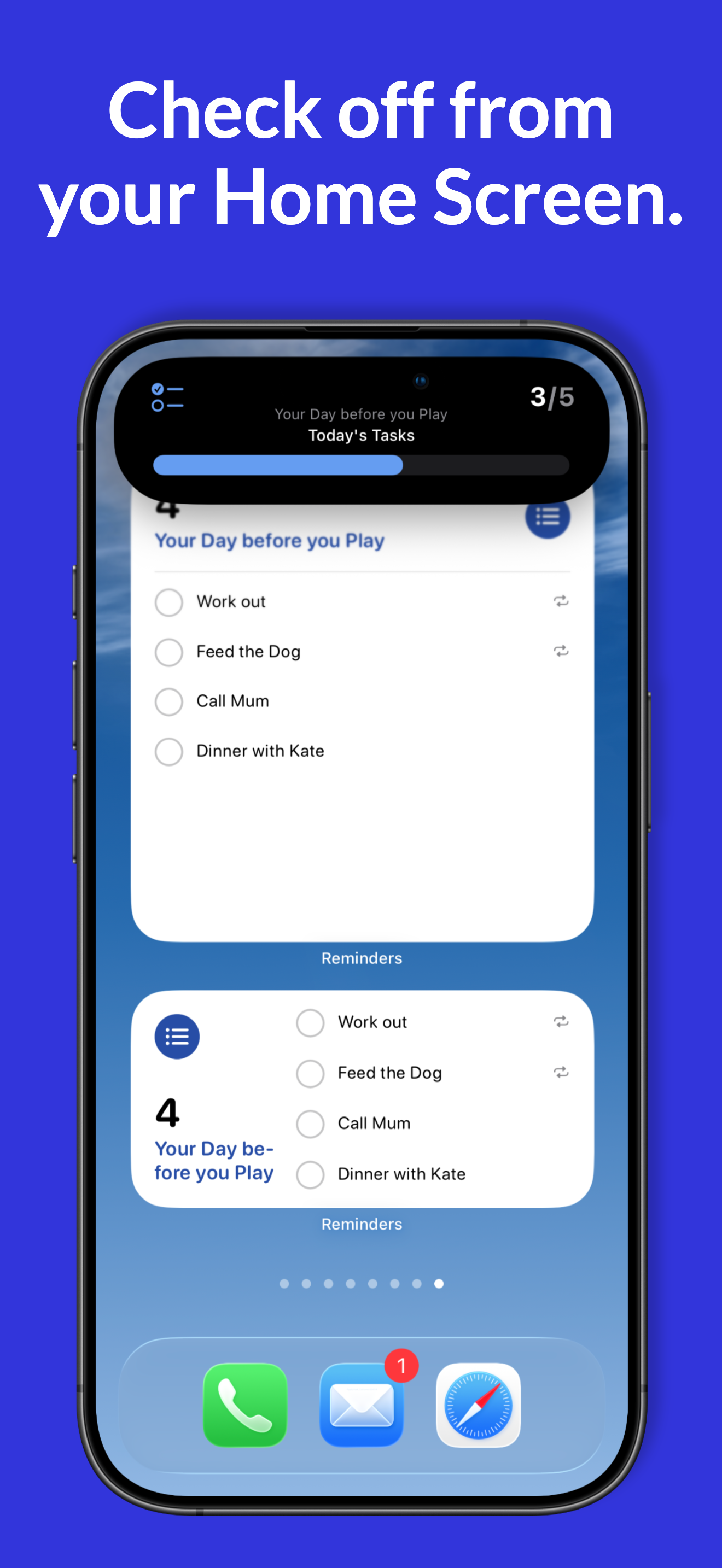
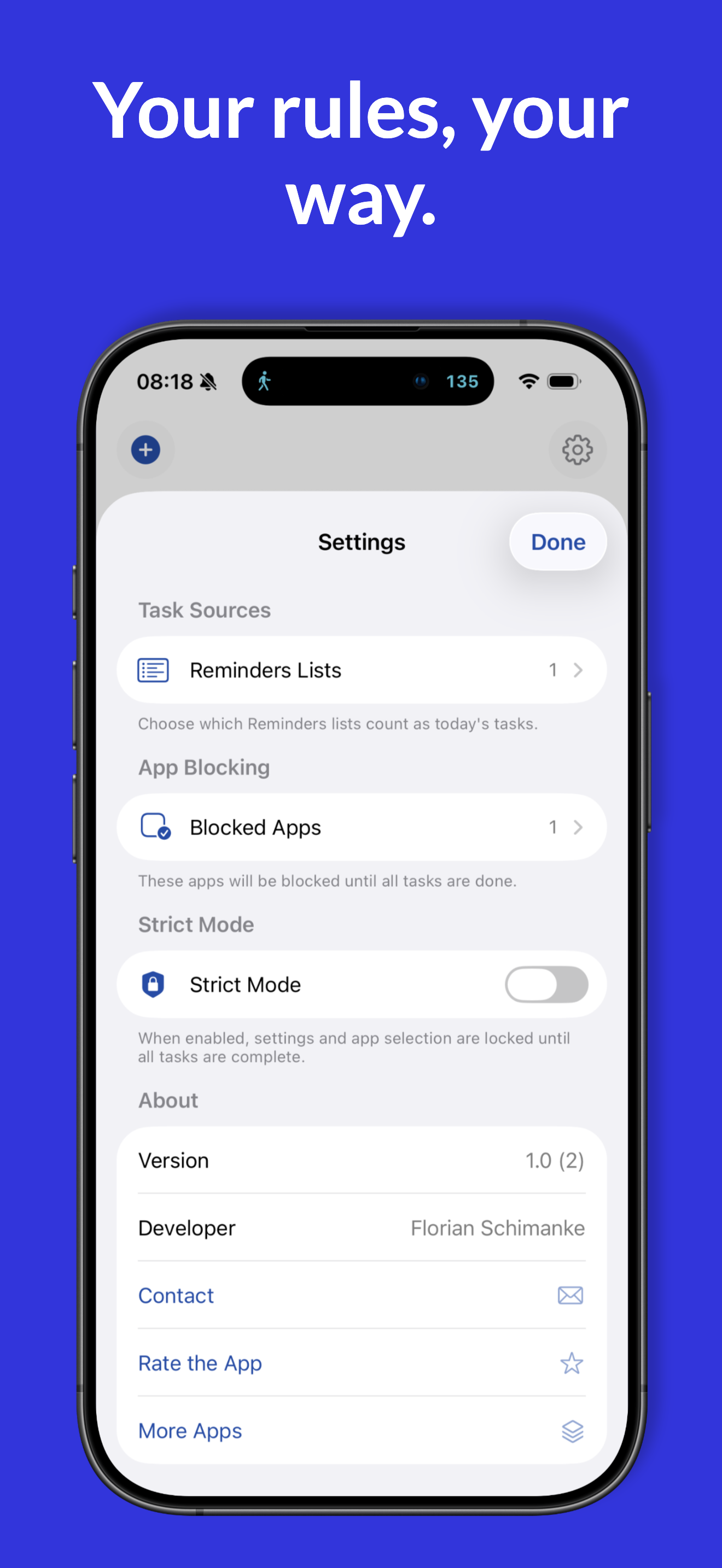
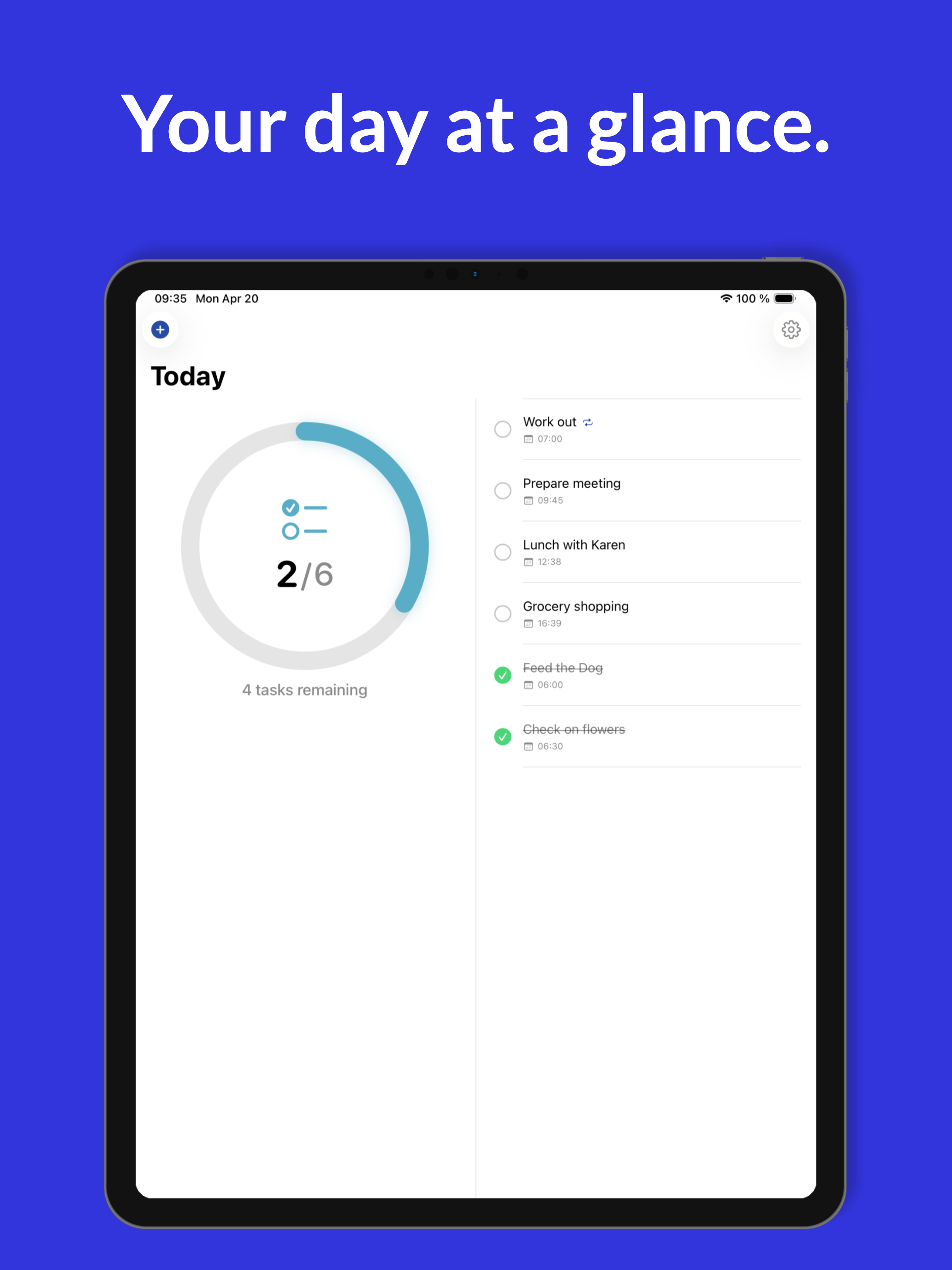
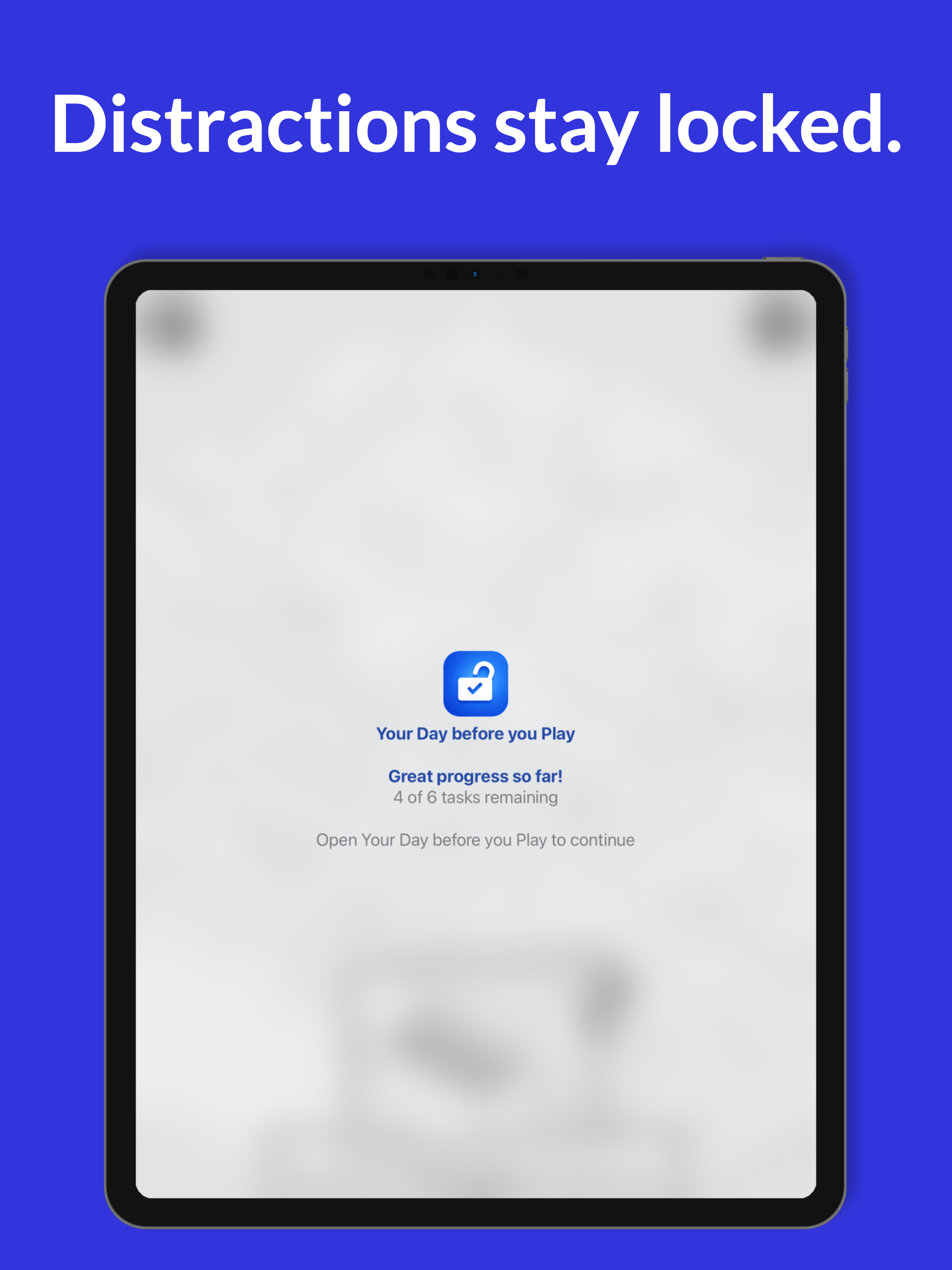
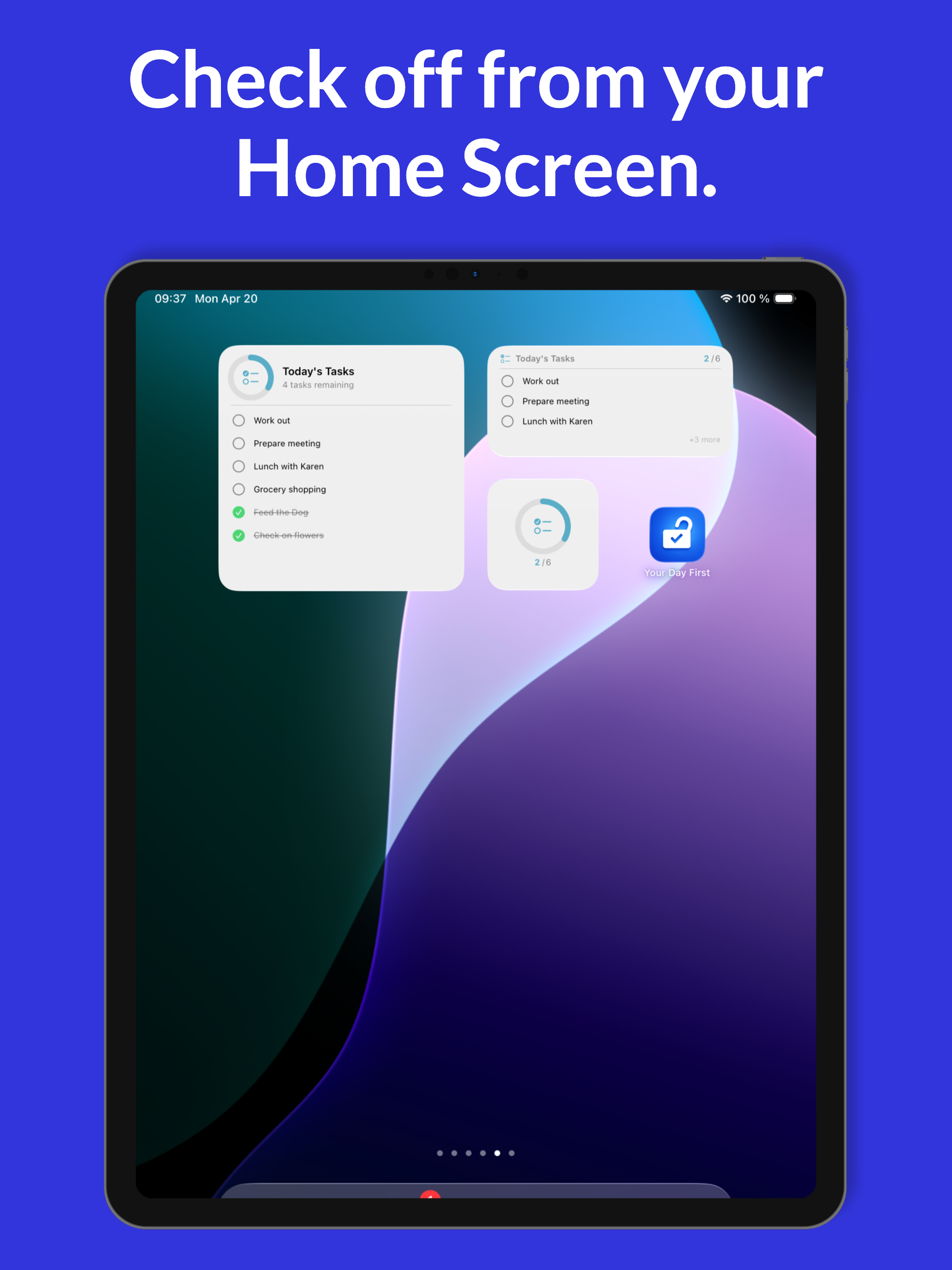
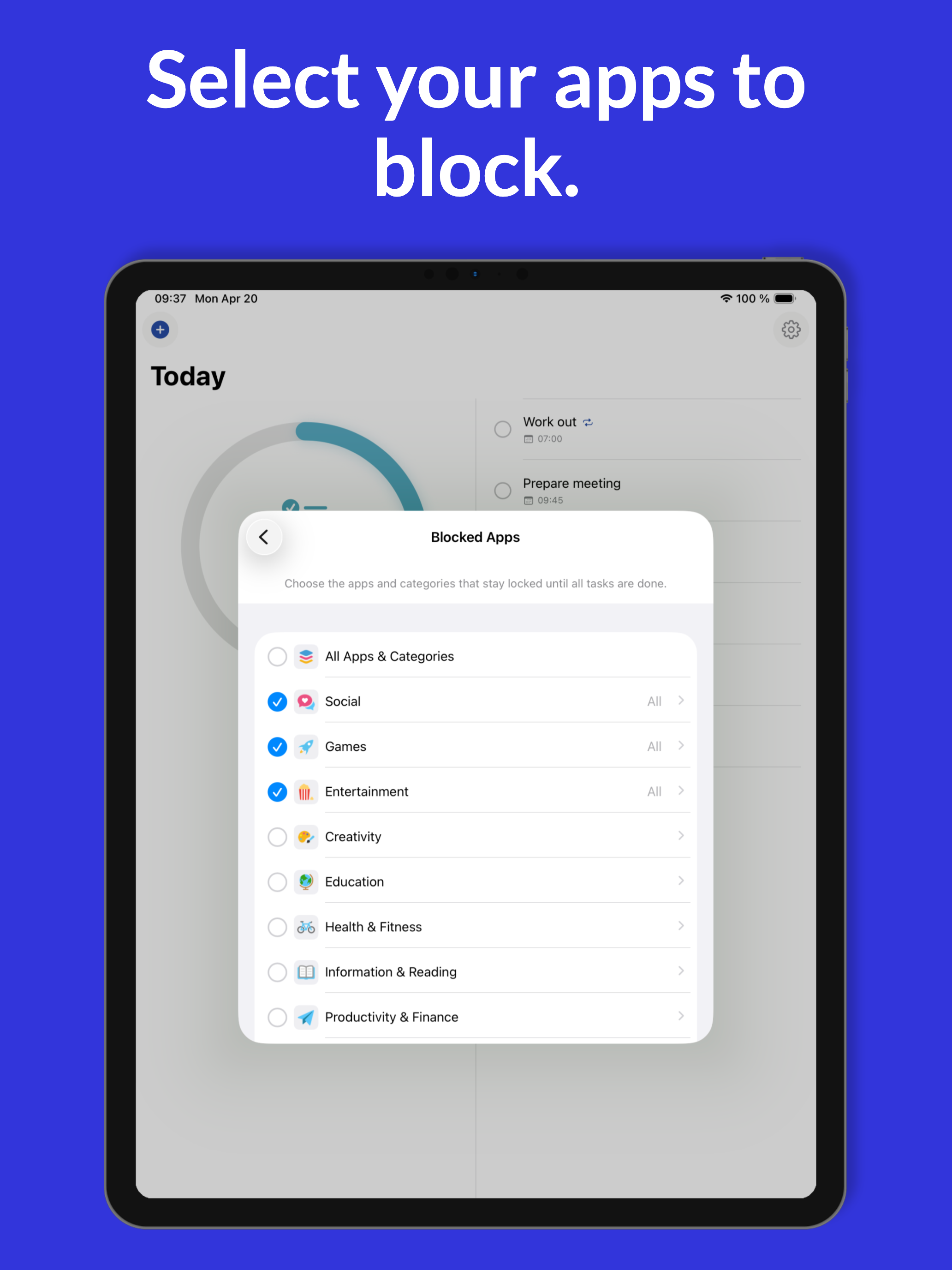
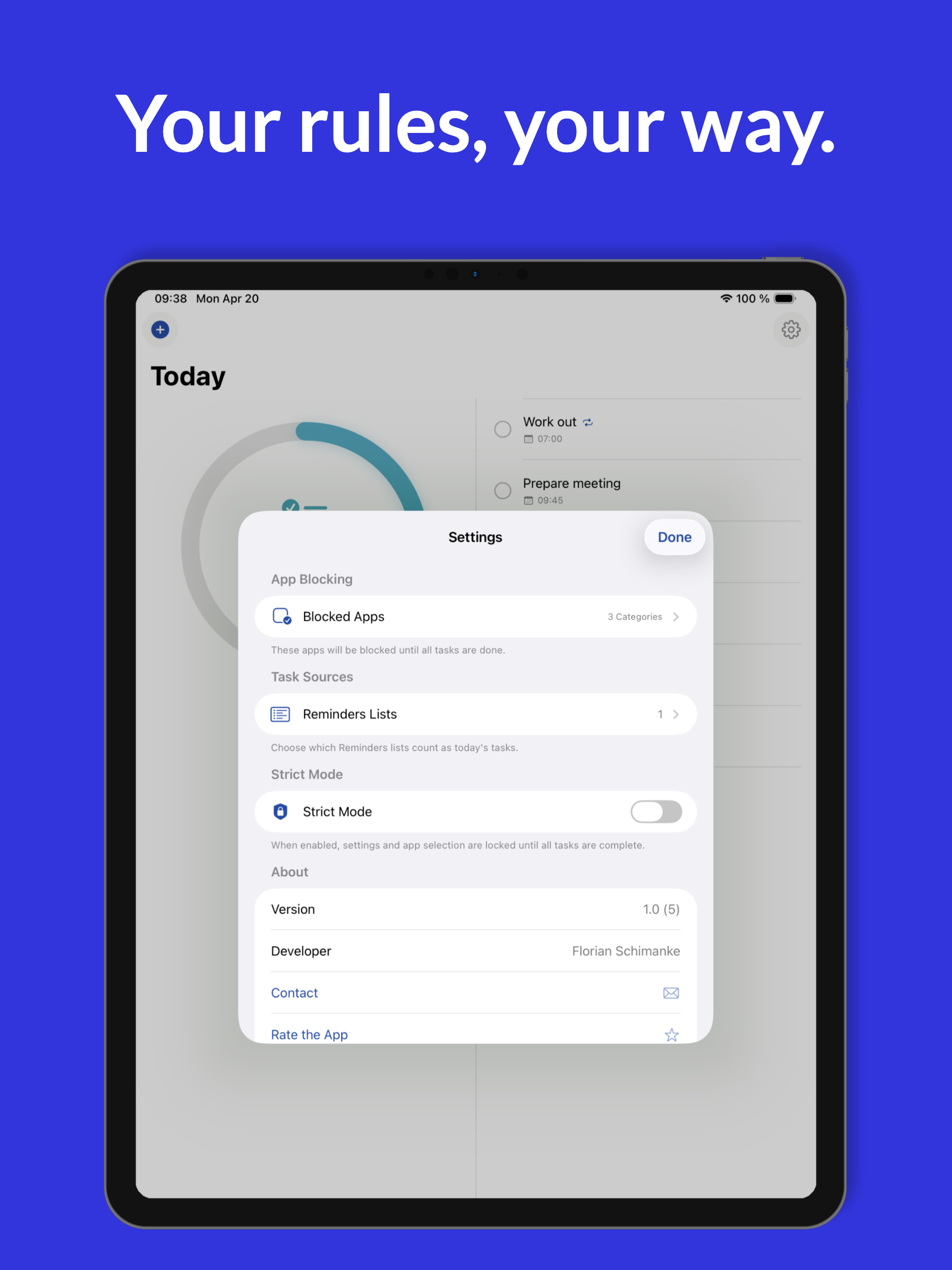
Your Day before you Play reads from any list in Apple Reminders and locks your selected apps until that day's tasks are complete. Tap checkboxes on the Home Screen widget, ask Siri to mark tasks done, or use the Reminders app — anywhere a task gets ticked, the progress counts. Strict Mode prevents settings tampering. $2.99 one-time. iPhone + iPad.

Key features

  • Built on Apple Reminders via EventKit — no separate to-do list
  • Recurring tasks (daily, weekdays, weekly, monthly)
  • Interactive Home Screen and Lock Screen widgets
  • Live progress in Dynamic Island
  • Siri integration (everything you'd say to Reminders works)
  • iCloud Reminders sync across all devices
  • Strict Mode locks the app's own settings too
  • 10 languages, fully on-device

iPhone screenshots

Your Day before you Play screenshot
day-1.png 1290 × 2796
Your Day before you Play screenshot
day-2.png 1290 × 2796
Your Day before you Play screenshot
day-3.png 1290 × 2796
Your Day before you Play screenshot
day-4.png 1290 × 2796
Your Day before you Play screenshot
day-5.png 1290 × 2796

iPad screenshots

Your Day before you Play on iPad
day-ipad-1.png 2048 × 2732
Your Day before you Play on iPad
day-ipad-2.png 2048 × 2732
Your Day before you Play on iPad
day-ipad-3.png 2048 × 2732
Your Day before you Play on iPad
day-ipad-4.png 2048 × 2732
Your Day before you Play on iPad
day-ipad-5.png 2048 × 2732
Zone before you Phone icon
Location to unlock

Zone before you Phone

Distracting apps disappear automatically based on where you are.

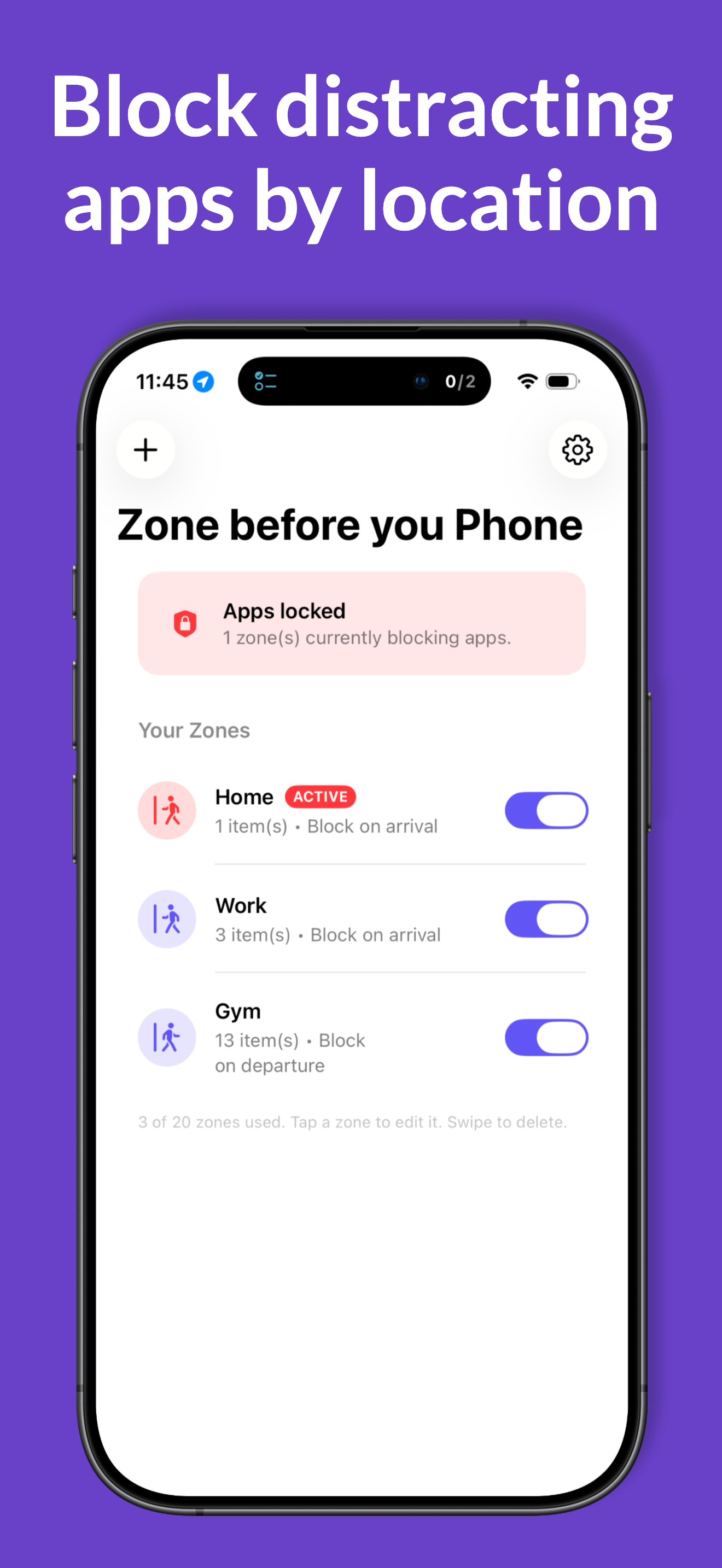
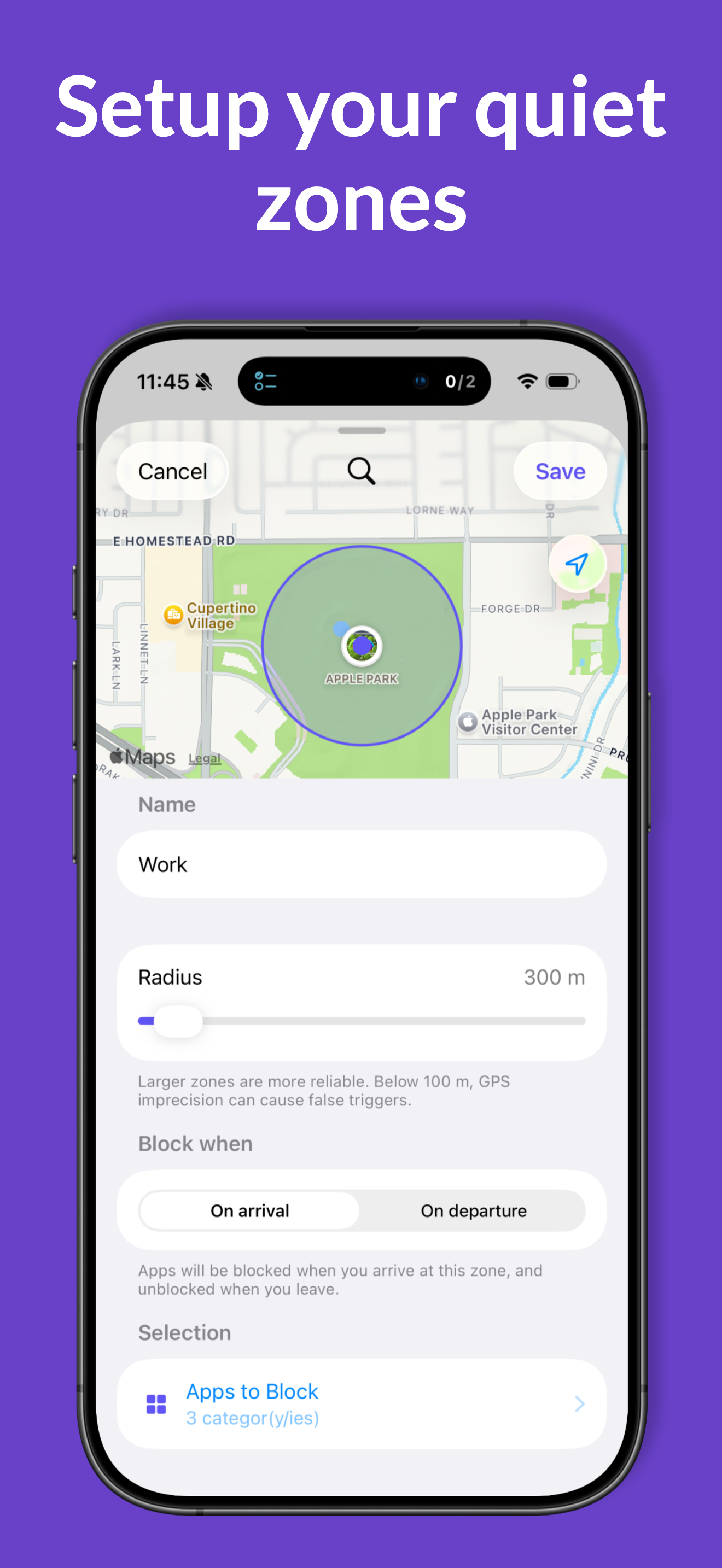
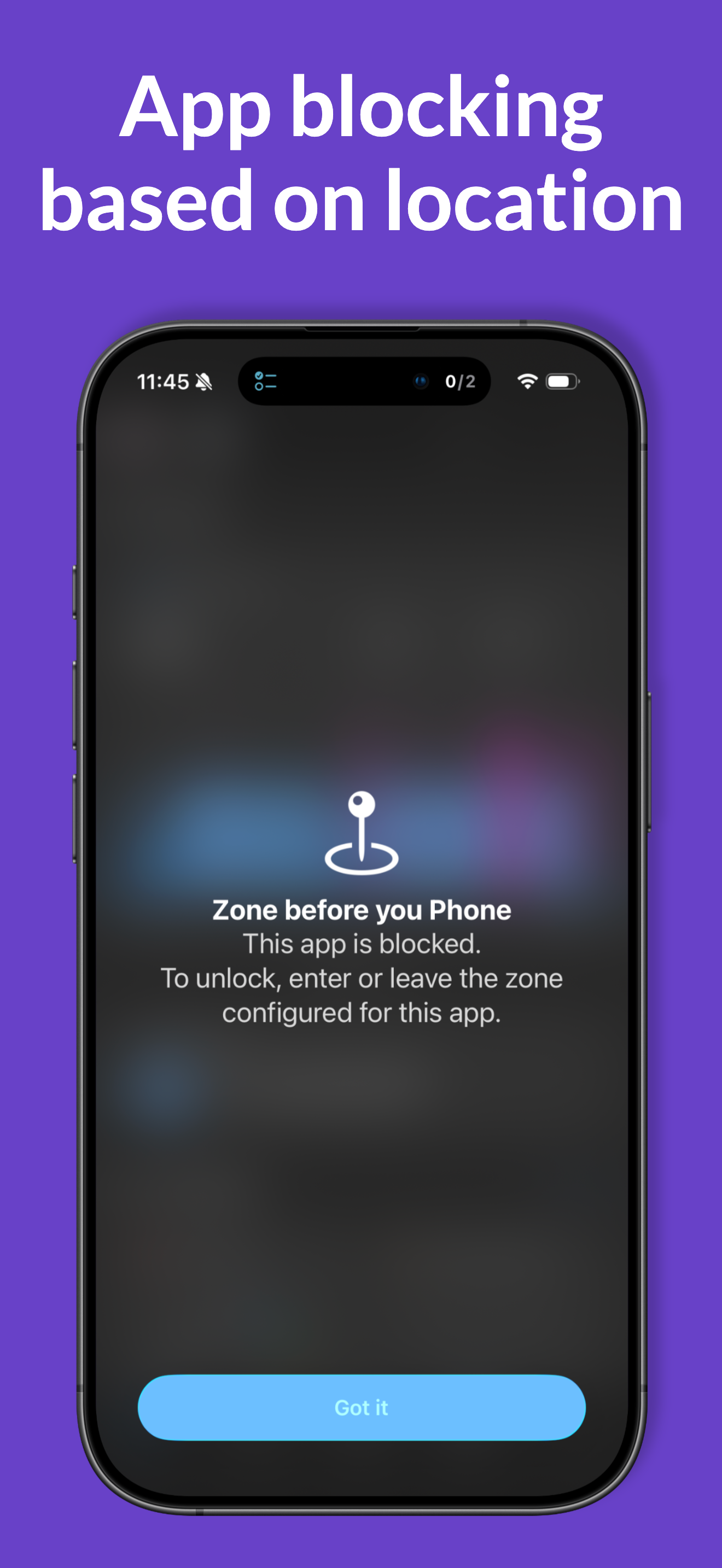
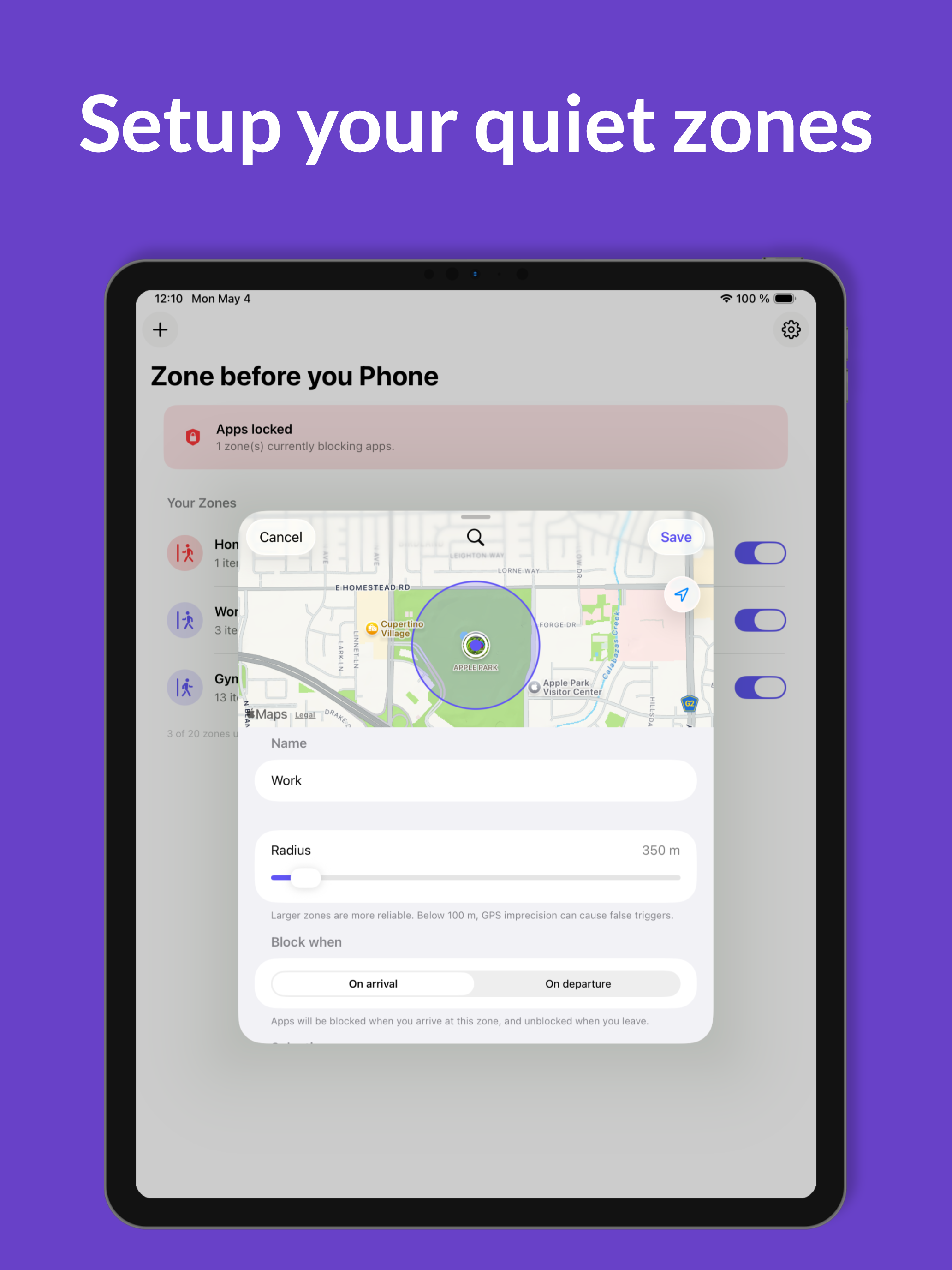
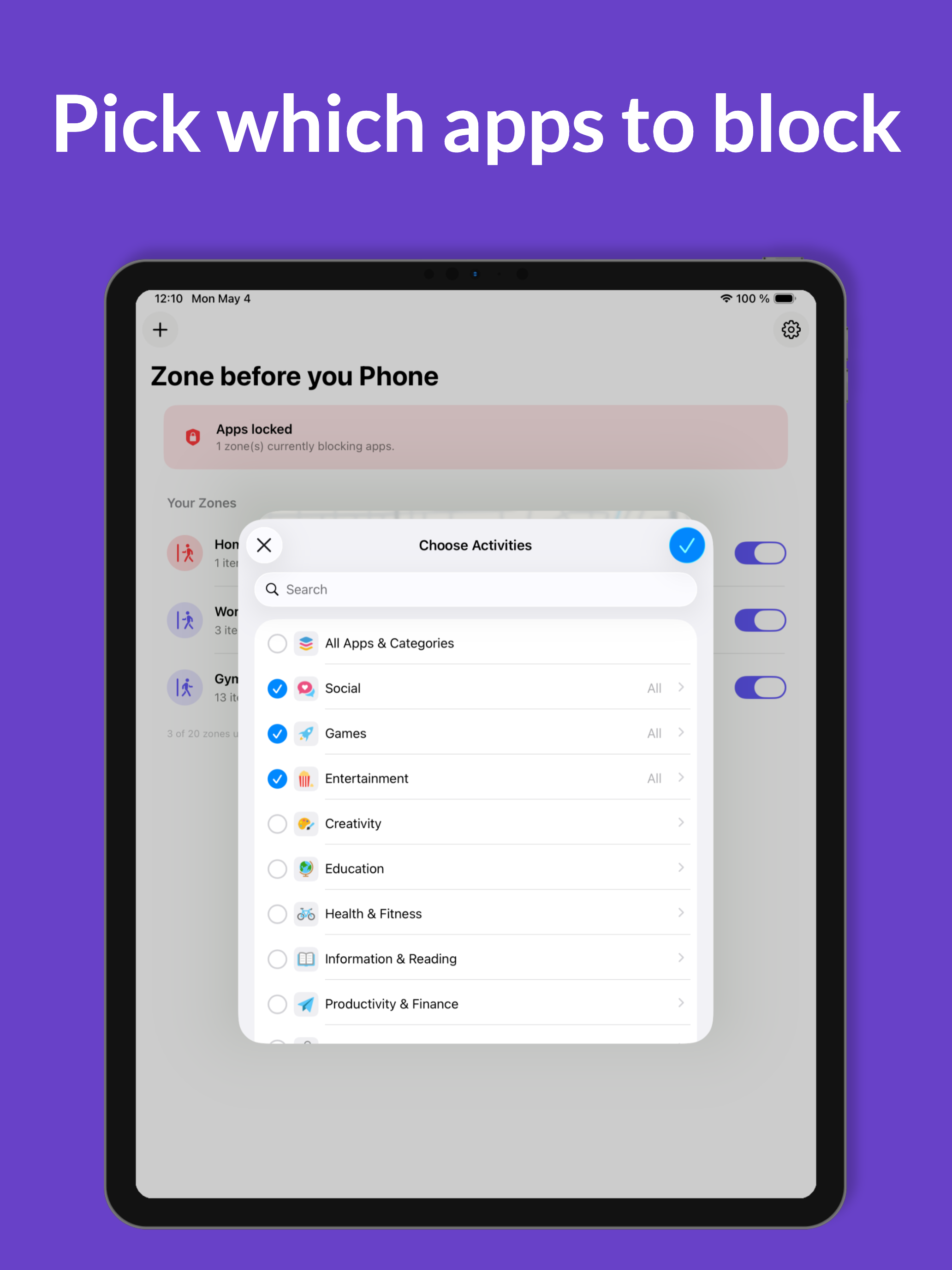
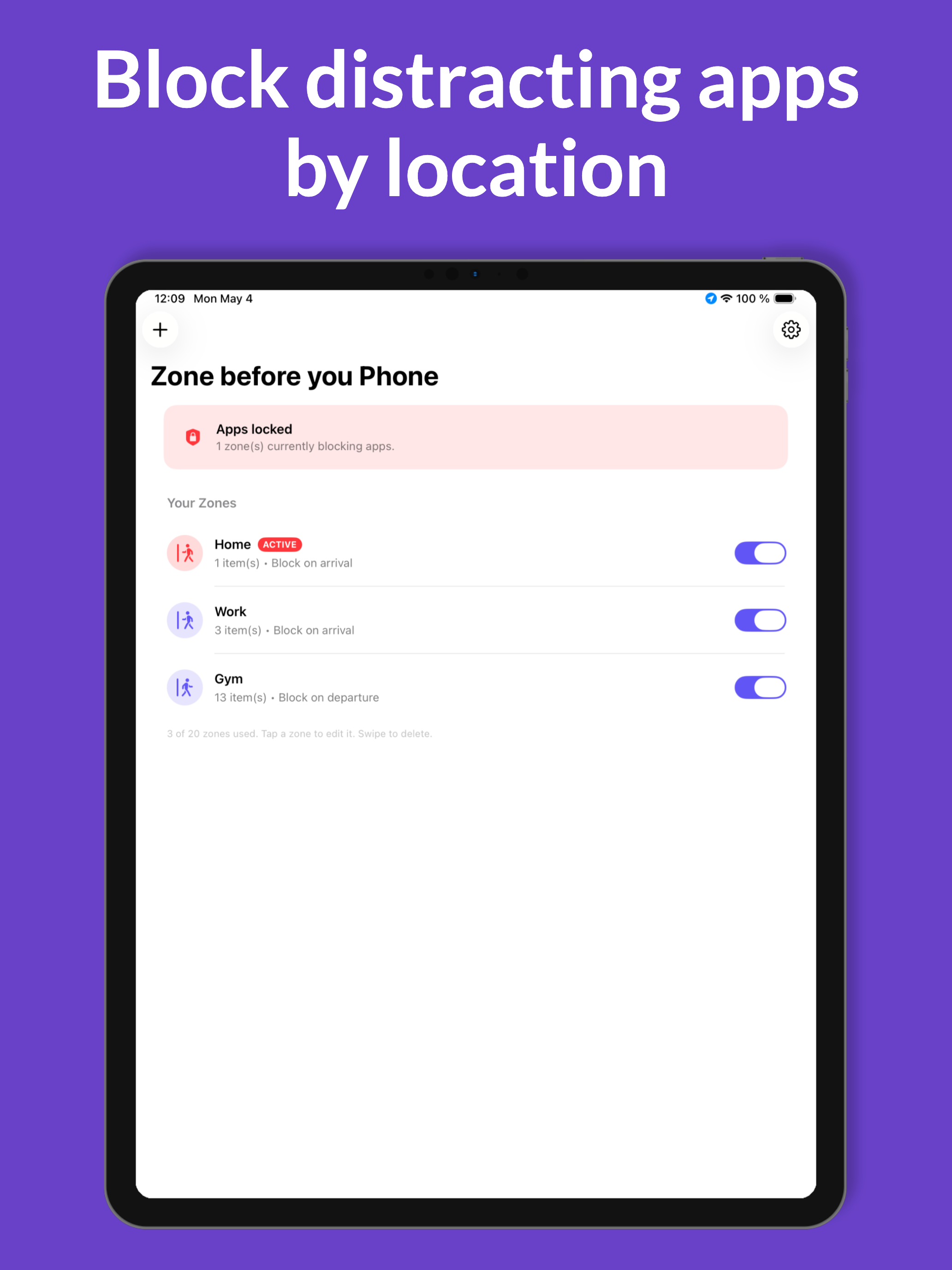
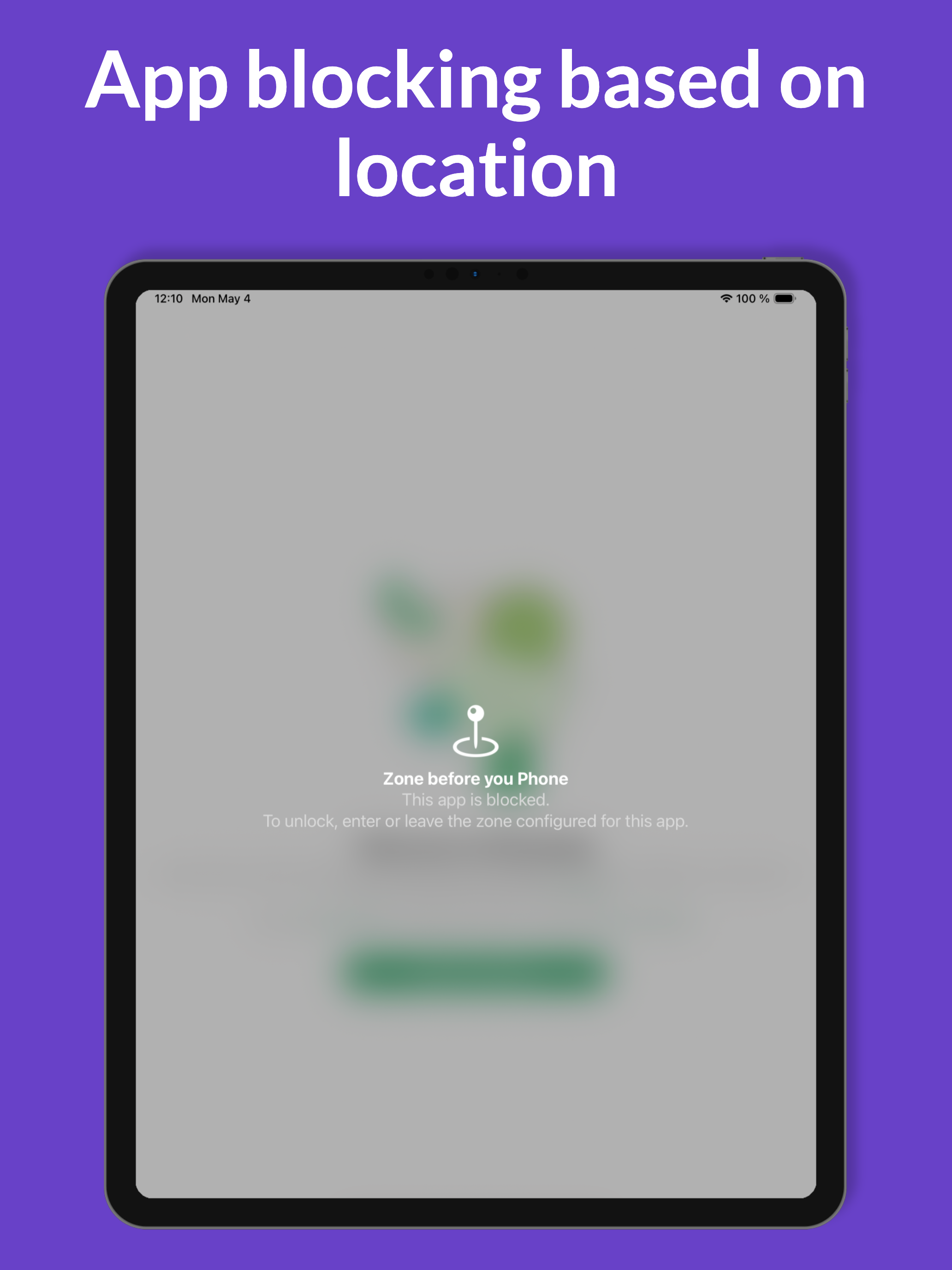
Zone before you Phone moves the screen-time decision earlier. Pin a place on the map — your gym, the library, your bedroom — pick the apps you don't want there, and the rest happens by itself. When you cross the boundary, iOS quietly applies (or removes) the block via Apple's Screen Time framework. No timer. No willpower test. The location takes over. Up to 20 active zones, on-device location, 50 m to 1.5 km radius. $2.99 one-time, no subscription, no ads.

Key features

  • Location-triggered app blocking via iOS region monitoring
  • Up to 20 zones simultaneously (Apple's hard limit)
  • Block on arrival OR block on departure — your choice per zone
  • Optional Strict Mode: zone settings locked while actively blocking
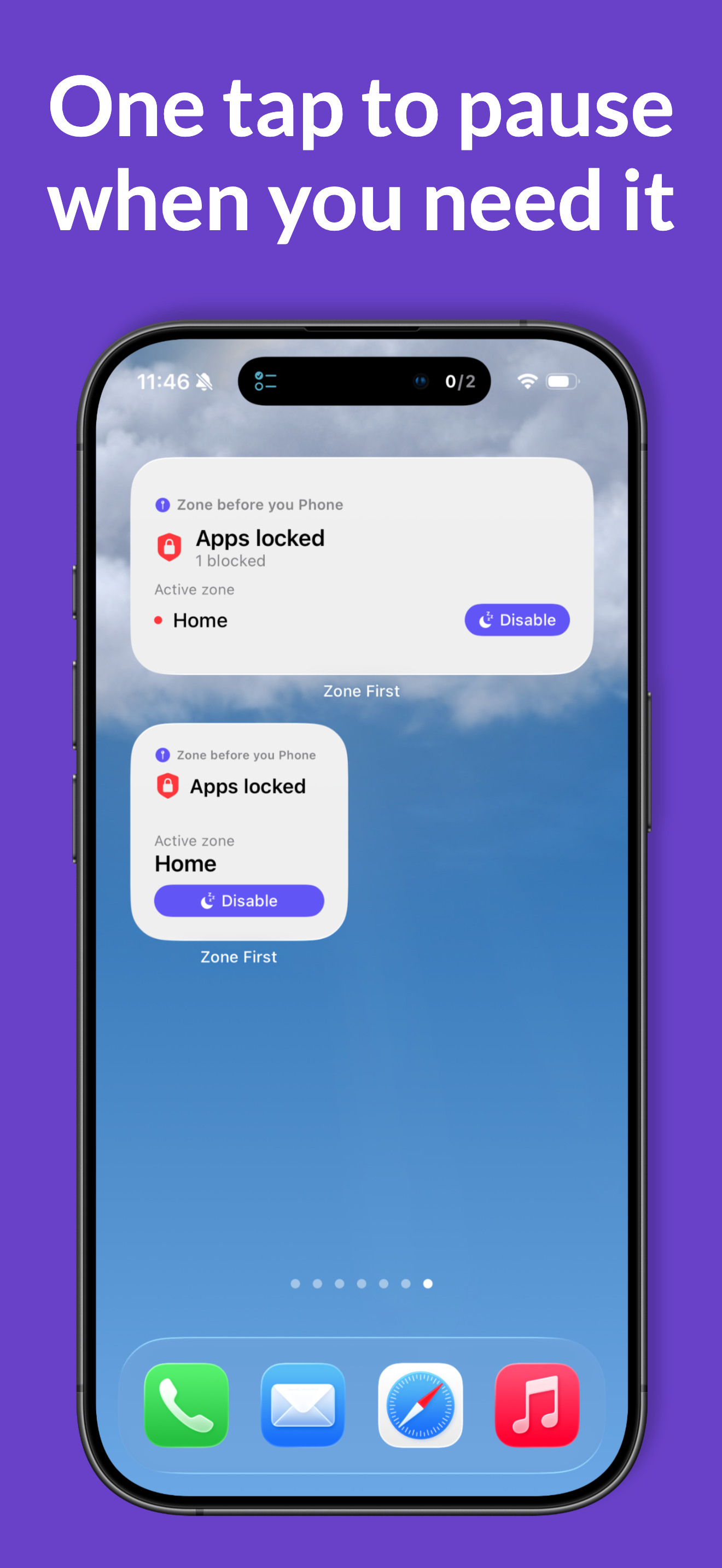
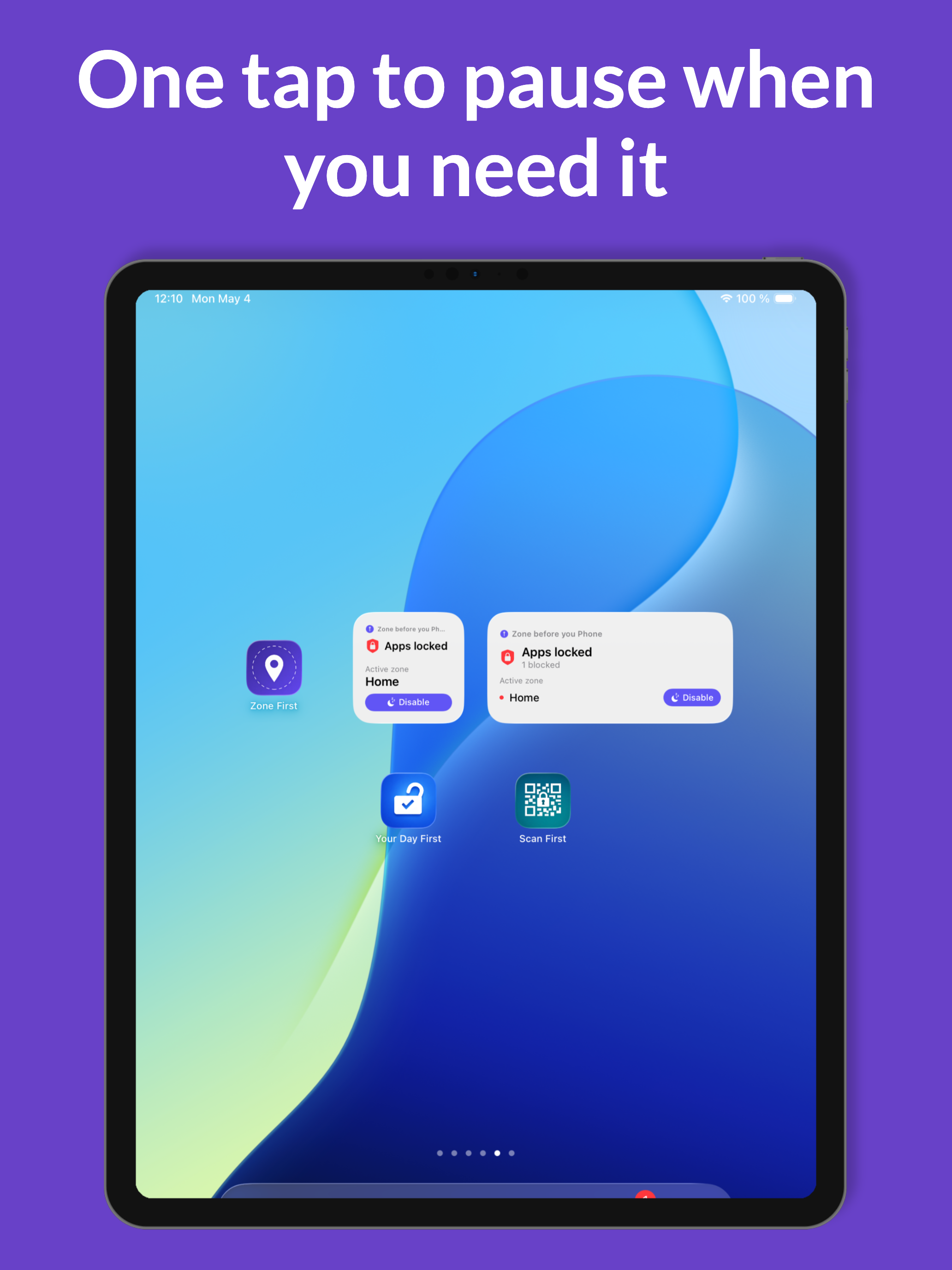
  • Disable via Siri / Shortcuts (App Intent) for legitimate exceptions
  • Home Screen and Lock Screen widgets show the active zone
  • No accounts, no servers, no analytics — location stays on device
  • $2.99 one-time. No in-app purchases. Localized in 10 languages.

iPhone screenshots

Zone before you Phone screenshot
zone-1.png 1290 × 2796
(iPhone 15/16 Pro Max)
Zone before you Phone screenshot
zone-2.png 1290 × 2796
Zone before you Phone screenshot
zone-3.png 1290 × 2796
Zone before you Phone screenshot
zone-4.png 1290 × 2796
Zone before you Phone screenshot
zone-5.png 1290 × 2796

iPad screenshots

Zone before you Phone on iPad
zone-ipad-1.png 2048 × 2732
Zone before you Phone on iPad
zone-ipad-2.png 2048 × 2732
Zone before you Phone on iPad
zone-ipad-3.png 2048 × 2732
Zone before you Phone on iPad
zone-ipad-4.png 2048 × 2732
Zone before you Phone on iPad
zone-ipad-5.png 2048 × 2732

The bundle

All four Before You Apps are also sold as a bundle: four apps for the price of three in the US App Store, with proportional savings in other regions — no subscription, no recurring fee.

Bundle price: $8.99. Savings vs. buying separately: $2.97. The bundle entitles the buyer to all four apps on iPhone, plus the Apple Watch app (Stroll) and the iPad versions (Scan, Your Day, Zone) at no extra cost. Bundles are an Apple App Store feature: customers who already own one or two of the apps pay only the difference (Apple's Complete My Bundle mechanism).

View bundle on App Store →

Boilerplate descriptions

Copy-paste-ready text in three lengths per app. Use whichever fits your format.

Stroll before you Scroll

Short · ~25 words

An iOS app that locks your most distracting apps until you've reached your daily step goal. Walk more, scroll less. $2.99, no subscription.

Medium · ~75 words

Stroll before you Scroll is a digital wellbeing app for iPhone and Apple Watch that locks your selected apps — Instagram, TikTok, news, games — until you've reached your daily step goal. The blocking uses Apple's official Screen Time framework. Step counts come from Apple Health, so any tracker (Apple Watch, Garmin, Fitbit) works. Includes a native Apple Watch app, widgets, Live Activity, and Dynamic Island support. $2.99 one-time, no subscription, no ads, no tracking.

Long · ~180 words

Stroll before you Scroll is a new approach to digital wellbeing on iOS. Instead of relying on willpower or a tap-to-bypass timer, the app puts a real, physical condition between you and your most distracting apps: walking. Choose which apps to lock — Instagram, TikTok, Reddit, news, games, anything — and they remain blocked until you've reached your daily step goal. Cross the goal and they unlock automatically. The next morning, they re-lock.

Step counting is powered by Apple Health, so steps from any device count: iPhone, Apple Watch, Garmin, Fitbit, and more. The blocking itself uses Apple's official Screen Time / Family Controls framework — the same system that powers iOS Focus modes. The app includes a native Apple Watch companion, Home Screen and Lock Screen widgets, Live Activity, and Dynamic Island support. Per-weekday goals and a Strict Mode (preventing settings tampering until the goal is reached) round it out.

$2.99 one-time. No subscription, no ads, no tracking, no accounts. Localized in 10 languages.

Scan before you Can

Short · ~25 words

An iOS app that locks your distracting apps until you physically walk to a printed QR code and scan it. No bypass possible. $2.99, no subscription.

Medium · ~75 words

Scan before you Can generates a unique QR code on your device. Print it, place it somewhere away from where you usually sit, then lock your selected apps via Apple's Screen Time framework. The only way to unlock them is to physically walk over and scan the code with your camera. There's no backdoor, no emergency override. $2.99 one-time, no subscription, no accounts, no internet required. iPhone and iPad.

Long · ~180 words

Scan before you Can takes a different angle on screen-time control: it makes the unlock physically impossible from where you usually sit. The app generates a unique QR code on your device — print it, then place it somewhere that requires you to get up: the kitchen, the hallway, the office wall. Lock your selected apps and the only way to regain access is to walk over to the code and scan it with the camera.

The blocking uses Apple's official Family Controls / Screen Time framework. The QR code is generated locally — no servers, no accounts, no internet connection required at any point. Even the camera never stores an image; QR detection runs live on the frame. Auto-lock schedules let the app re-lock at a set time each day, with a 15-minute pre-lock reminder. Phone, Messages and FaceTime are never blocked (an iOS-level guarantee).

$2.99 one-time. No subscription, no ads, no tracking. Localized in 10 languages. Universal app for iPhone and iPad.

Your Day before you Play

Short · ~25 words

An iOS app that locks your distracting apps until your daily Apple Reminders tasks are done. Built on the system Reminders. $2.99, no subscription.

Medium · ~75 words

Your Day before you Play turns Apple Reminders into a screen-time gate. Pick a Reminders list and the apps you want to block — your selection stays locked via Apple's Screen Time framework until every task on the list is complete. Tick boxes on the Home Screen widget, in the Reminders app, or via Siri. iCloud sync means tasks added on any device count. $2.99 one-time, no subscription. iPhone and iPad.

Long · ~180 words

Your Day before you Play makes the simplest possible deal with the user: do the things you said you'd do today, and then your phone is yours. The app reads from any list in Apple Reminders via the system EventKit framework — there's no separate to-do list to maintain. Pick the list, pick the apps to block (Instagram, TikTok, news, games — anything via Apple's Family Controls API), and the apps stay locked until the list is empty.

Tasks can be ticked from anywhere: the Reminders app, Siri ("mark laundry as done"), interactive Home Screen and Lock Screen widgets, or the Dynamic Island. Recurring tasks (daily, weekdays, weekly, monthly) make the routine self-sustaining. Strict Mode locks the app's own settings, so users can't quickly remove a blocked app from the list mid-morning.

$2.99 one-time. No subscription, no ads, no tracking, no separate accounts. Tasks stay in the user's iCloud Reminders, governed by Apple's iCloud privacy policy. Localized in 10 languages. Universal for iPhone and iPad.

Zone before you Phone

Short · ~25 words

An iOS app that automatically blocks distracting apps based on where you are. Pin a location, pick the apps, walk in — they're gone. Free, no subscription.

Medium · ~75 words

Zone before you Phone moves the screen-time decision earlier. Drop a pin on the map — your gym, the library, your bedroom — pick the apps you don't want there, and the rest happens by itself. Crossing the boundary triggers (or removes) the block via Apple's Screen Time framework. Up to 20 active zones, on-device location, no accounts. The unique slot in the category: location as primary trigger, not timers or schedules. $2.99 one-time, no subscription, no ads.

Long · ~180 words

Zone before you Phone is a different take on screen-time control. Most blockers fight the user in the moment of weakness — the moment they reach for Instagram. That fight is rigged: willpower is weakest exactly when it's needed most. Zone moves the decision earlier. The user decides once, calmly, ahead of time: "while I'm at the library, I don't want TikTok." The location itself does the rest.

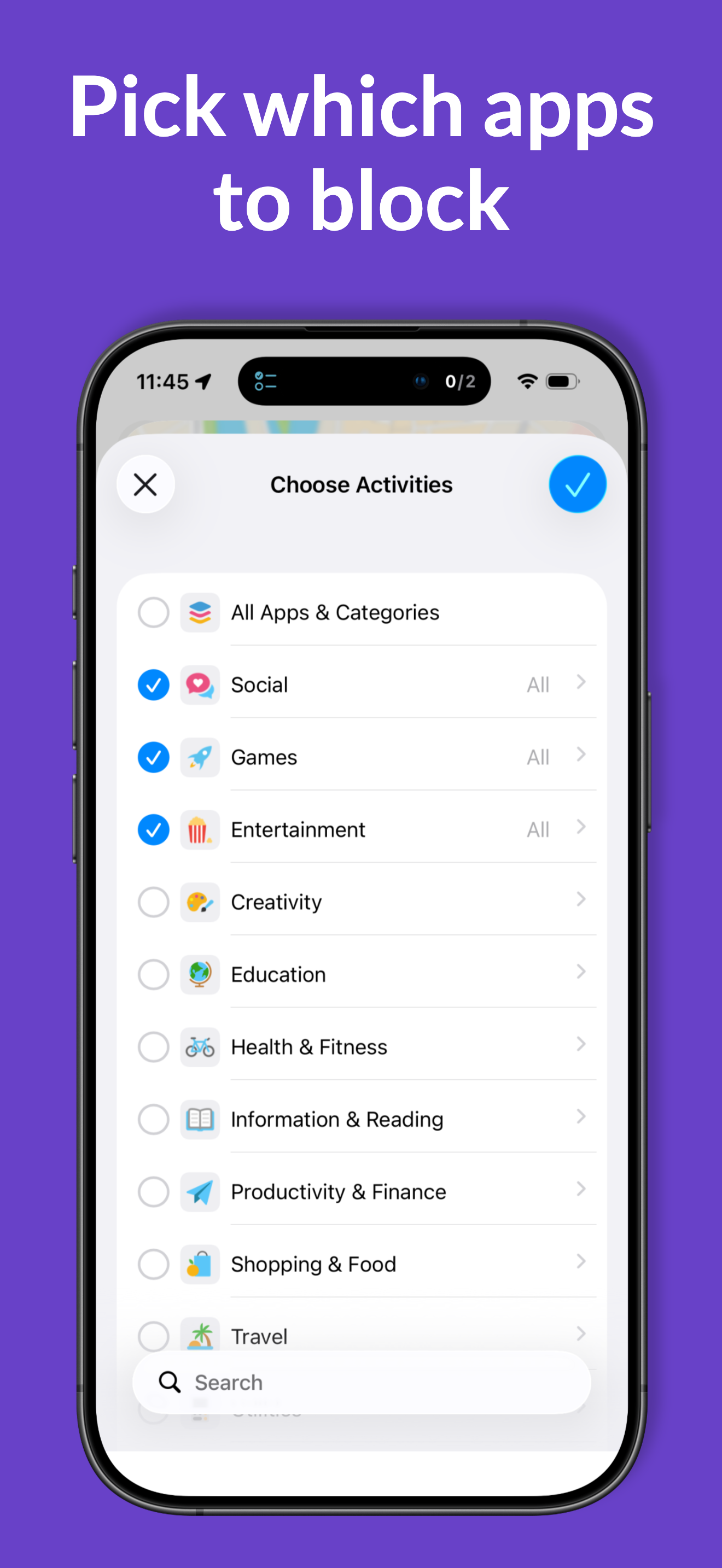
Pin a place on a map, set a radius from 50 m to 1.5 km, pick the apps via Apple's Family Controls picker, choose whether to block on arrival or on departure, and save. iOS region monitoring (the same battery-friendly mechanism Apple uses for Reminders) handles the rest. Up to 20 zones can be active simultaneously — Apple's hard limit. Optional Strict Mode prevents tampering while a zone is active. Disable temporarily via Siri or Shortcuts when there's a legitimate exception.

$2.99 one-time. No in-app purchases, no ads, no subscription. No accounts, no servers; location data never leaves the device. iPhone primary, iPad supported. Localized in 10 languages.

Before You Bundle

Short · ~25 words

The Before You Bundle: all four digital wellbeing apps (Stroll, Scan, Your Day, Zone) for $8.99 — four for the price of three, no subscription.

Medium · ~75 words

The Before You Bundle packages all four iOS apps in the family — Stroll before you Scroll (walk to unlock), Scan before you Can (scan a QR code to unlock), Your Day before you Play (finish tasks to unlock), and Zone before you Phone (location-triggered blocking) — at $8.99 in the US App Store, four apps for the price of three. Each app uses Apple's official Screen Time framework with a different real-world unlock condition. No subscription, no ads, no tracking. Customers who already own some of the apps pay only the difference via Apple's Complete My Bundle.

Long · ~180 words

The Before You Bundle bundles all four apps in the Before You family into a single discounted purchase — $8.99 in the US App Store (four apps for the price of three; 25% off), with proportional savings in international storefronts due to Apple's automatic pricing. The bundle includes Stroll before you Scroll (locks distracting apps until you reach your daily step goal, with native Apple Watch app), Scan before you Can (locks apps until you physically walk to a printed QR code and scan it), Your Day before you Play (locks apps until your Apple Reminders tasks for the day are done), and Zone before you Phone (blocks apps automatically based on where you are).

All four apps share one philosophy: instead of relying on willpower or a tap-to-bypass timer, each puts a real, real-world action between the user and their distracting apps. The blocking uses Apple's official Family Controls / Screen Time framework. No accounts, no servers, no tracking, no ads — everything runs on-device.

Customers who already own some of the apps pay only the difference, thanks to Apple's Complete My Bundle mechanism. Universal across iPhone, iPad, and Apple Watch (Stroll). Localized in 10 languages.

Brand assets

Icons in 512×512 PNG with transparent corners. Need a different format? Just ask.

Before You Apps brand icon

Brand mark

The "Before You Apps" sun icon. Used as favicon, nav, and on the Home Screen.
Download PNG
Stroll icon

Stroll before you Scroll

App icon, 512×512 transparent PNG.
Download PNG
Scan icon

Scan before you Can

App icon, 512×512 transparent PNG.

Download PNG
Your Day icon

Your Day before you Play

App icon, 512×512 transparent PNG.

Download PNG
Zone icon

Zone before you Phone

App icon, 512×512 transparent PNG.

Download PNG

All assets in one ZIP

All five icons plus the Apple touch icon, in a single bundle.

Download brand-assets.zip

Press contact

For interviews, additional information, extra promo codes, or anything else — please reach out directly:

florian@beforeyouapps.com

All emails are read and answered personally — usually within one business day.